Select products for a stability study
Last updated: October 9, 2026
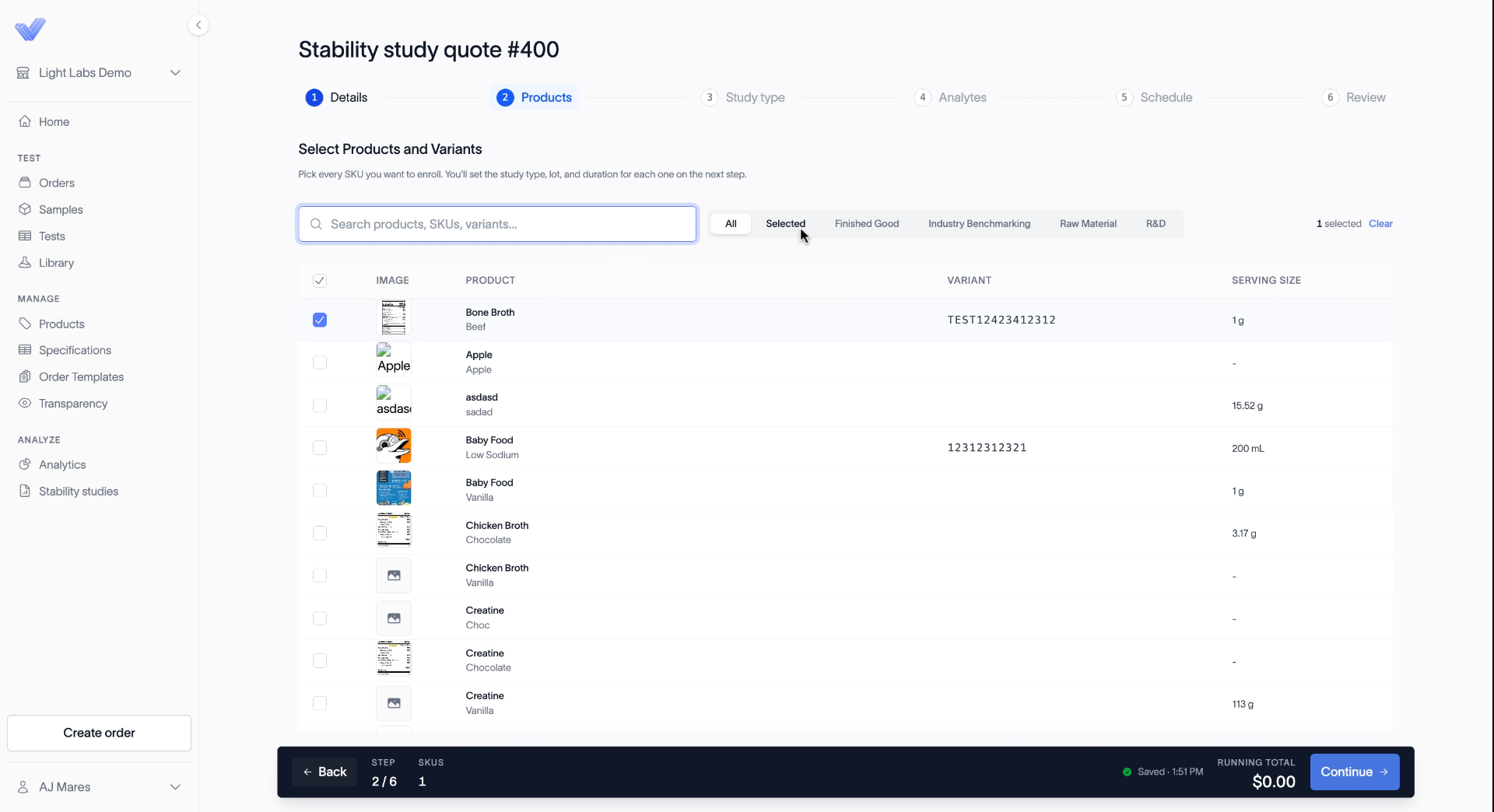
On the Products step you choose which products and variants to enroll in the study. A study can include more than one product.
Before you start
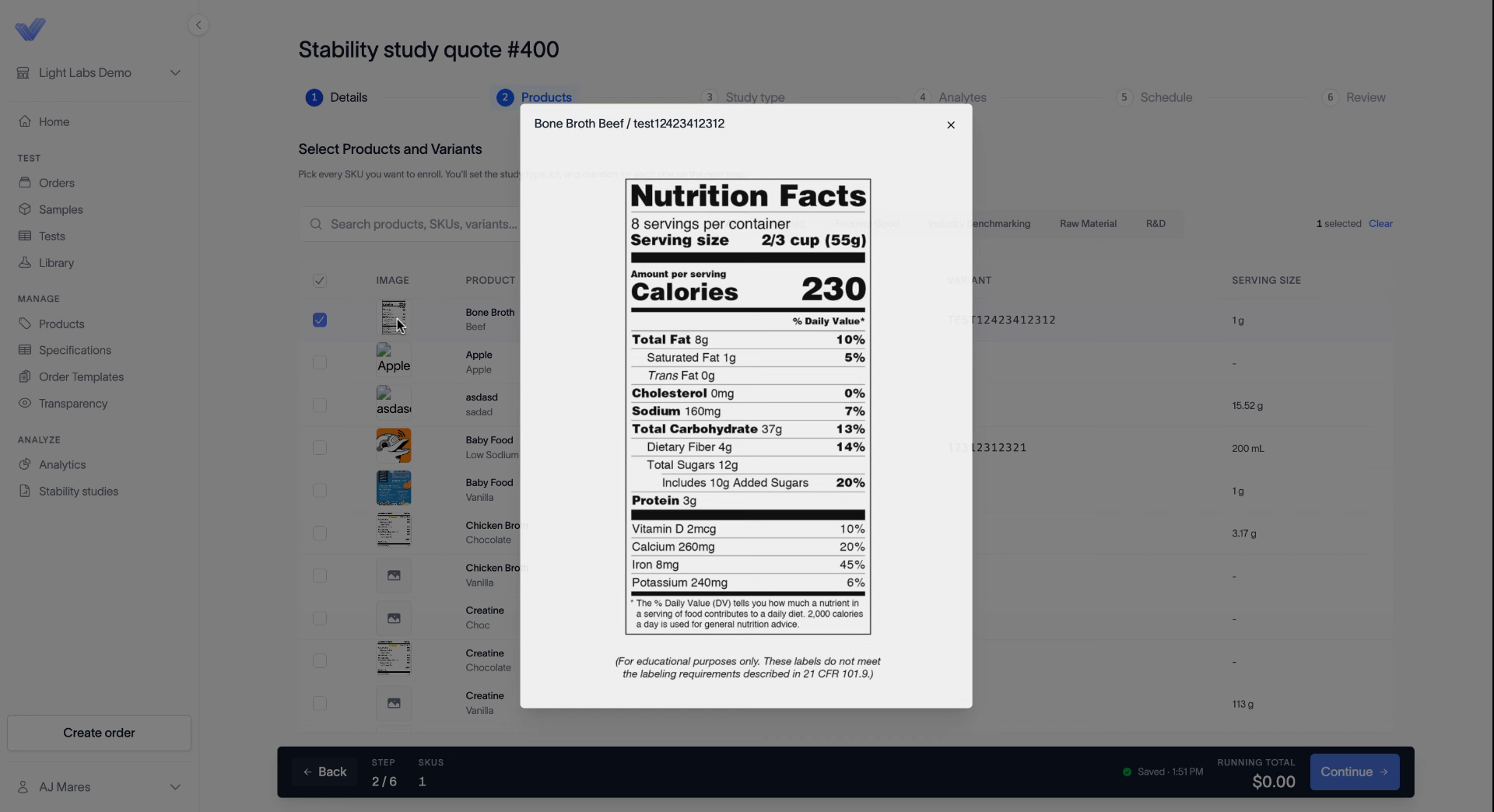
Every product you enroll needs a supplement facts panel (SFP) or nutrition facts panel (NFP) image. You can't move forward with a product that doesn't have one. To add one, see Upload an SFP or NFP to a variant.
Select your products
Search for a product by name, SKU, or variant. Or use the tabs to narrow the list: All, Selected, Finished Good, Industry Benchmarking, Raw Material, and R&D.
Select the checkbox next to each product you want to enroll.
Click the Selected tab to double-check your picks.
Click Continue.
Check a product's SFP
Click a product's image to preview its supplement facts panel.
Related
Upload an SFP or NFP to a variant
Choose real-time, accelerated, or both
Place a stability study order