Upload an SFP or NFP to a variant
Last updated: August 14, 2026
Time To Completion: 1-2 minutes
Attach the Supplement Facts Panel (SFP) or Nutrition Facts Panel (NFP) to a variant so it's tied to every test order placed for that variant going forward.
Prerequisites:
A Light Labs account with at least one product and variant configured
The SFP or NFP file on your computer (PDF or image)
1. Open the variant
In the left navigation, click Products. On the Products list, click the variant name or one of the inline variant chips (for example, DEFAULT, LOW SODIUM, VANILLA) to open the variant page.
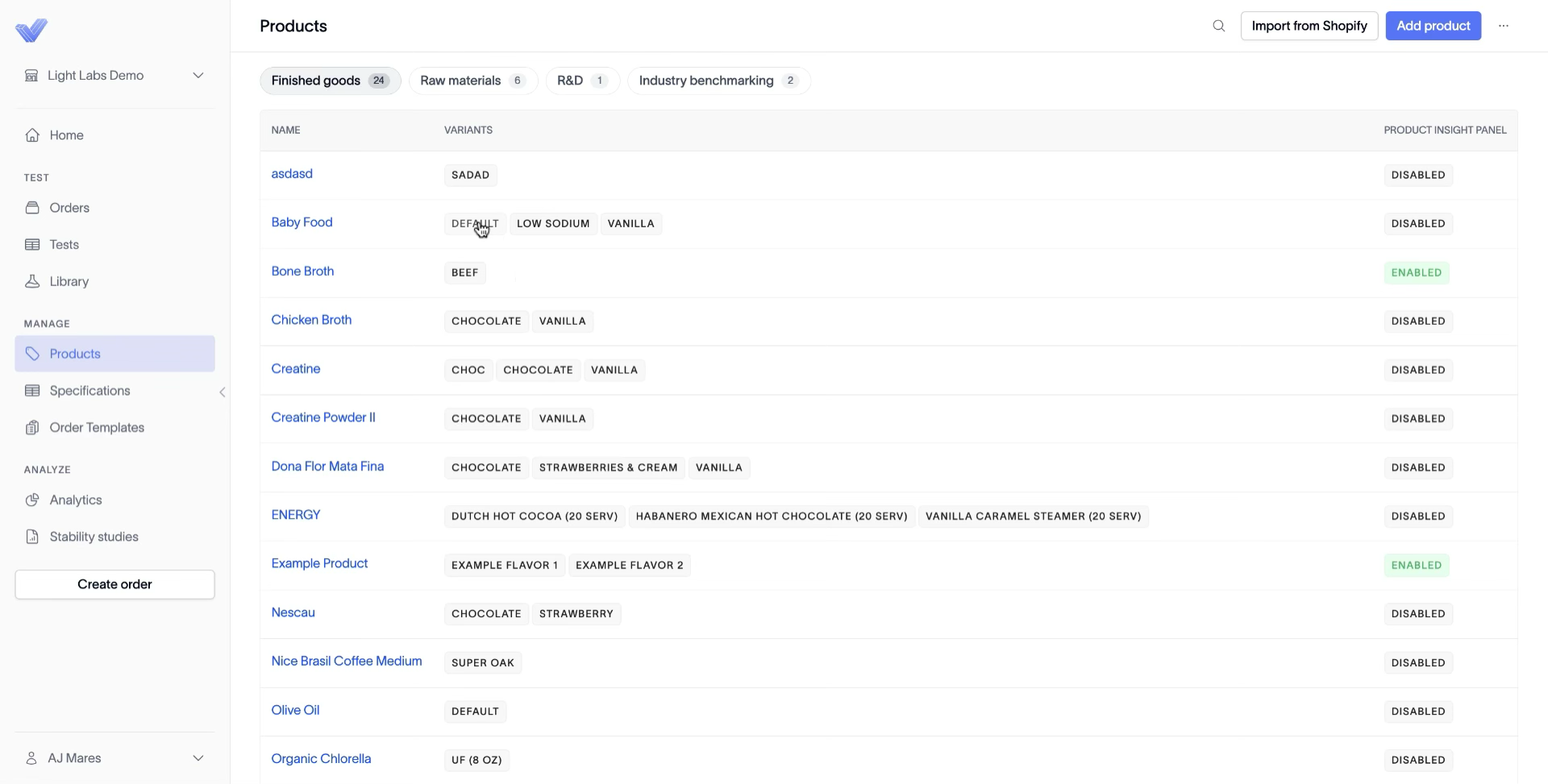
2. Upload the SFP or NFP
Scroll to the SFP / NFP section at the bottom of the variant page. Click Choose File, select your file in the picker, click Open, then click Upload.
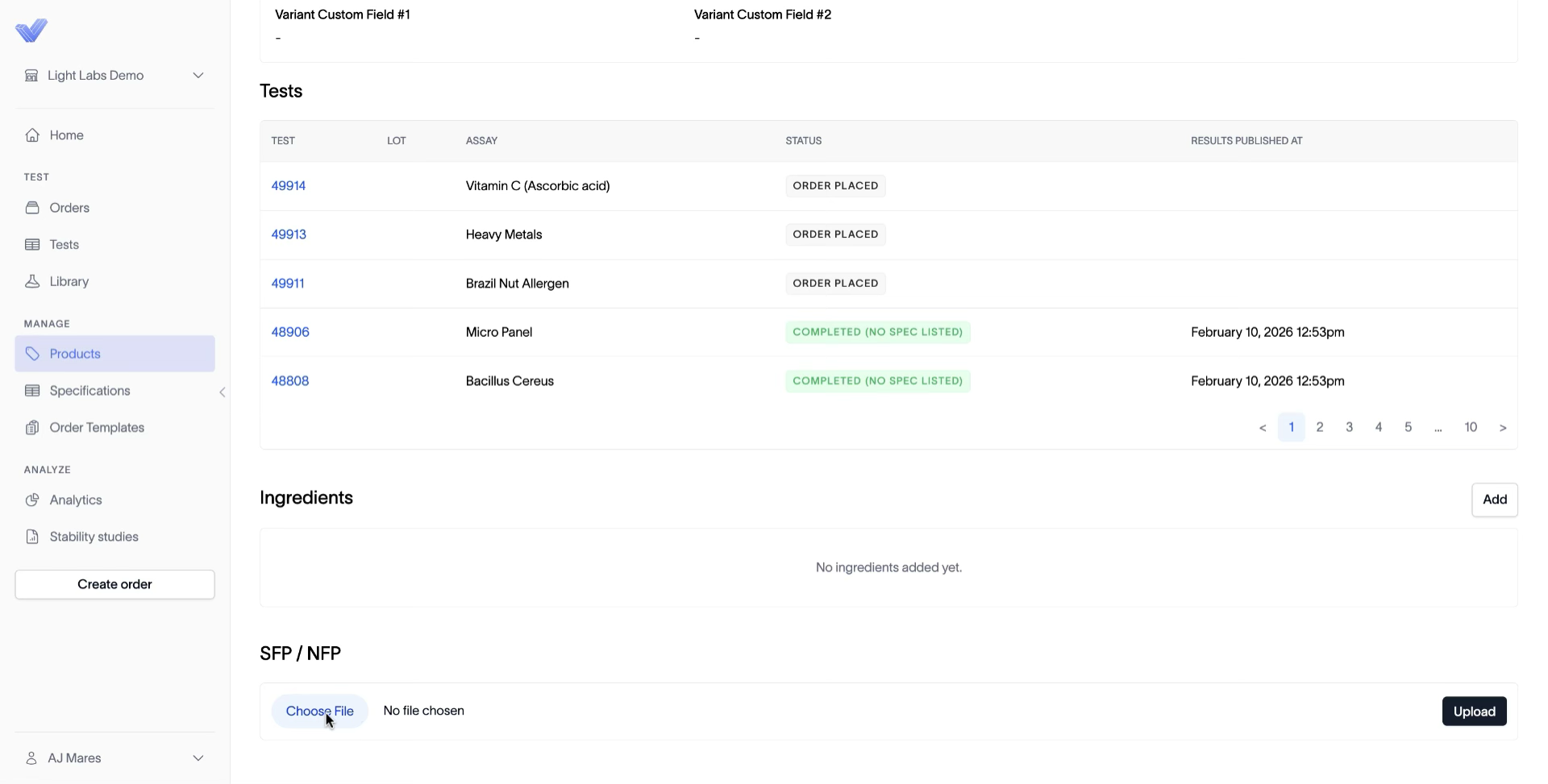
Outcome
The uploaded SFP or NFP is now attached to the variant. Every order placed against this variant going forward carries the file with it for the testing team.