Filter the samples list
Last updated: August 14, 2026
Time To Completion: 1 minute
Narrow the Samples page by test status — completed, in progress, or by spec result.
Prerequisites: The Samples page open with at least one sample.
1. Open the Status filter
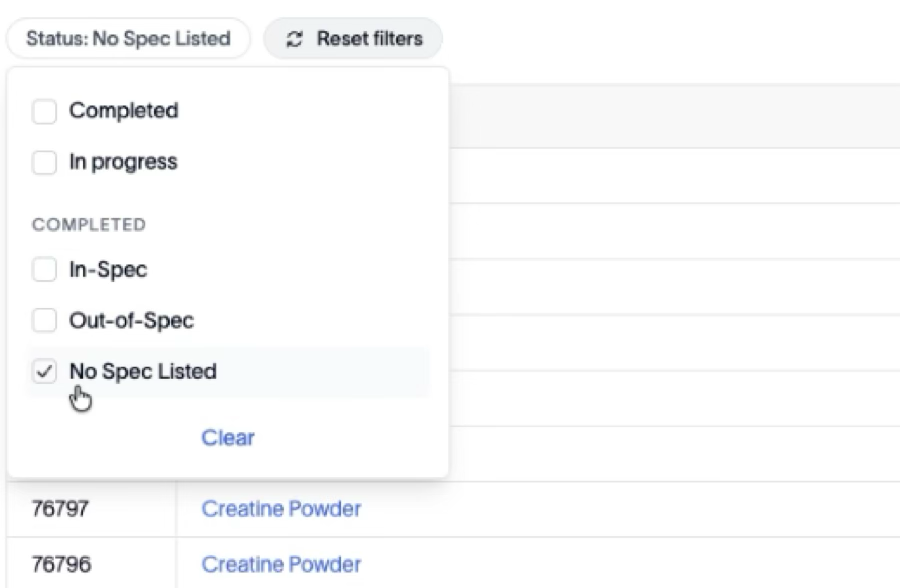
Click the Status chip above the table.
2. Choose the statuses
Tick the statuses you want. The options are:
Completed — samples whose tests are done.
In progress — samples still being tested.
Under COMPLETED: In-Spec, Out-of-Spec, and No Spec Listed — filter completed samples by their spec result.
The list reloads as you select. Use Clear at the bottom of the dropdown to clear the Status filter, or Reset filters to clear everything.
Note: More filters are planned for the left-hand side of the page. For now, use the Status filter and search together to narrow the list.
Outcome
The table shows only the samples matching the statuses you chose.