Name your study and set a target stability claim
Last updated: October 9, 2026
The first step of the stability study builder is the Details step. It's where you name the study and say what shelf life you want to support.
Fill in the details
Go to Stability studies and click + Stability Study at the top right.
Enter a Study name. Use anything that helps you and the quality team recognize the study.
Enter your Target stability claim. This is the shelf life you want to test for. If you want to claim 24 months, enter
24 months.Optionally, add notes in Description. The quality team sees it with the rest of your quote.
Click Continue.
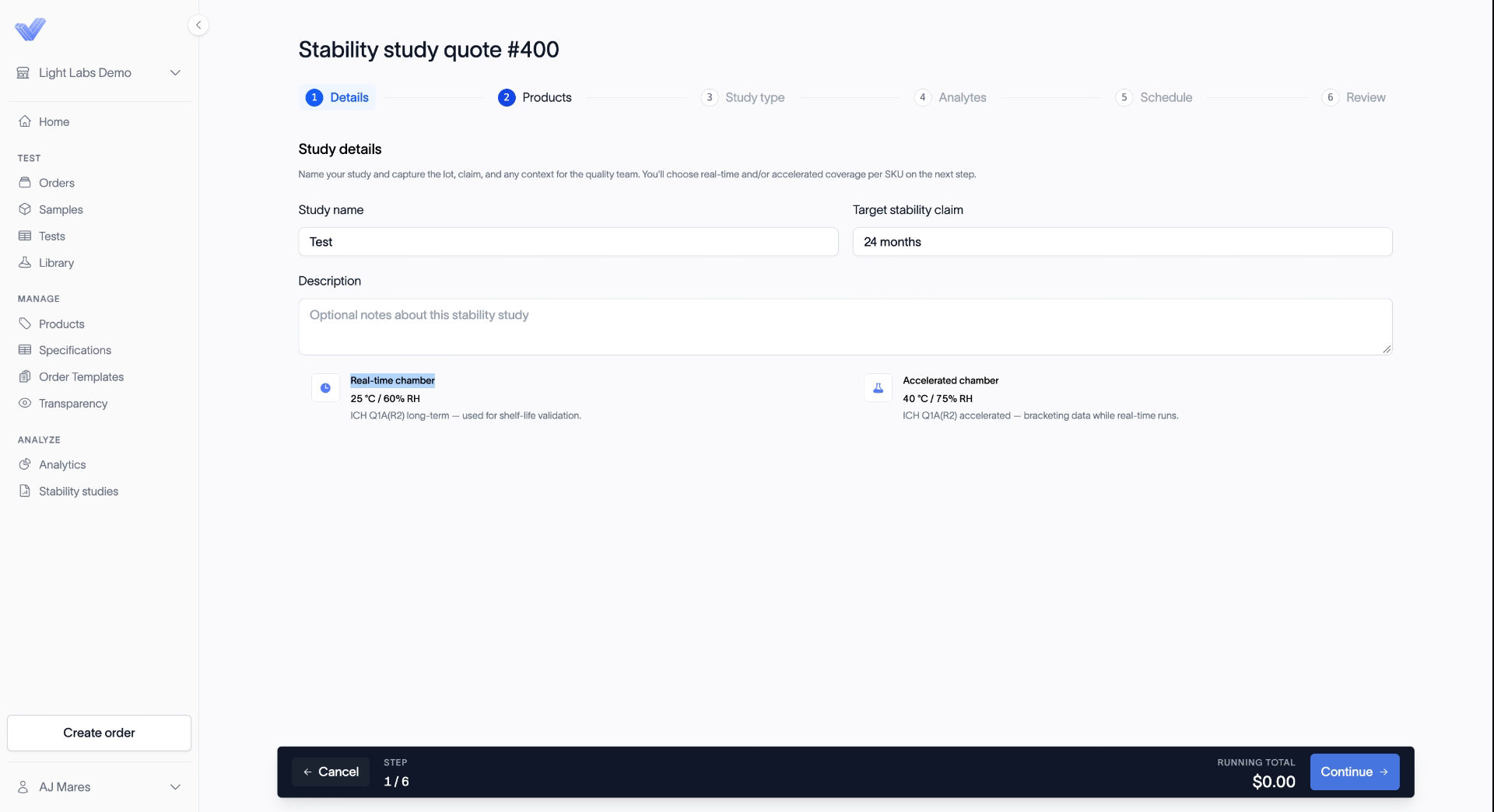
The two chambers
The Details step shows the two chambers we test in. You'll choose which to use on the Study type step.
Chamber | Conditions | Used for |
|---|---|---|
Real-time | 25 °C / 60% RH | Shelf-life validation |
Accelerated | 40 °C / 75% RH | Bracketing the data while real-time runs |
Related
Place a stability study order
Select products for a stability study
Choose real-time, accelerated, or both