Approve and start your stability study
Last updated: October 9, 2026
When the quality team approves your quote, you confirm it to officially place the order and start the study.
Open the approved quote
Go to Stability studies.
Click the quote number of the quote that shows Lab Approved.
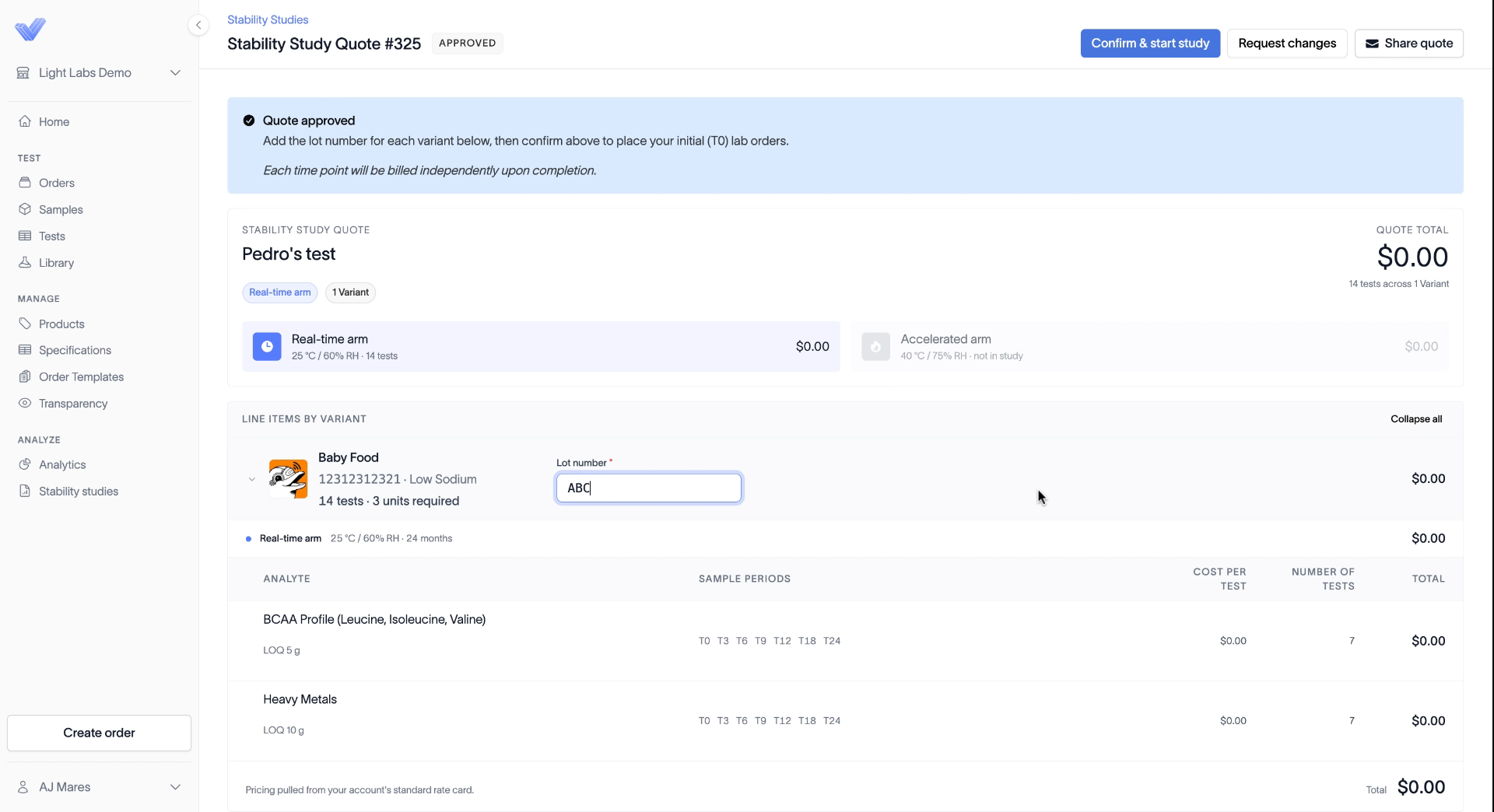
An approved quote shows an Approved tag next to its name. A banner explains that you add the lot number for each variant, then confirm to place your initial (T0) lab orders. Each time point is billed independently when it completes.
What you can do from the quote
Confirm & start study places the order.
Request changes lets you ask for changes to the quote.
Share quote emails a PDF of the quote.
Add your lot number and start the study
Enter the Lot number for each variant. It's required to start the study. If you already entered a lot number while building the quote, check that it's right.
Click Confirm & start study.
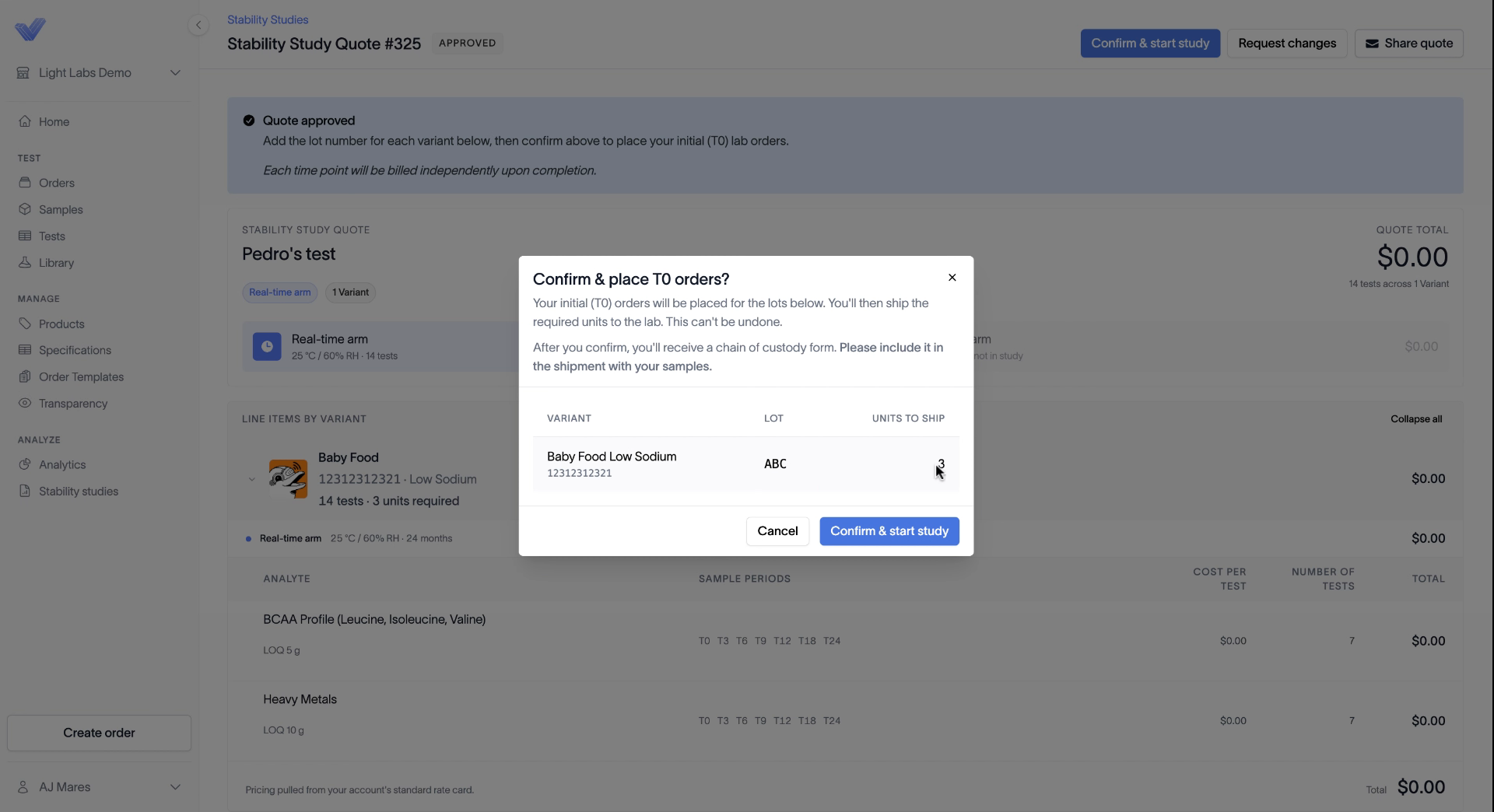
In the Confirm & place T0 orders? dialog, check the lot and the units to ship for each variant.
Click Confirm & start study again.
Confirming places your initial (T0) orders, and you can't undo it.
What happens next
After you confirm, you'll receive your shipping instructions, which include your chain of custody form. Print them and include them with your samples. See Ship samples for a stability study.
Back on the Stability studies page, the study now shows as active.
Related
What happens during quality review
Ship samples for a stability study
How stability study billing works