Place a retest
Last updated: October 23, 2026
Time To Completion: 1-3 minutes
Re-run a test that came back out of spec. Find the test, start a retest, choose whether to send a new sample or use the one already at the lab, then check out.
Prerequisites: A completed test, typically one with an out-of-spec result.
1. Find the test
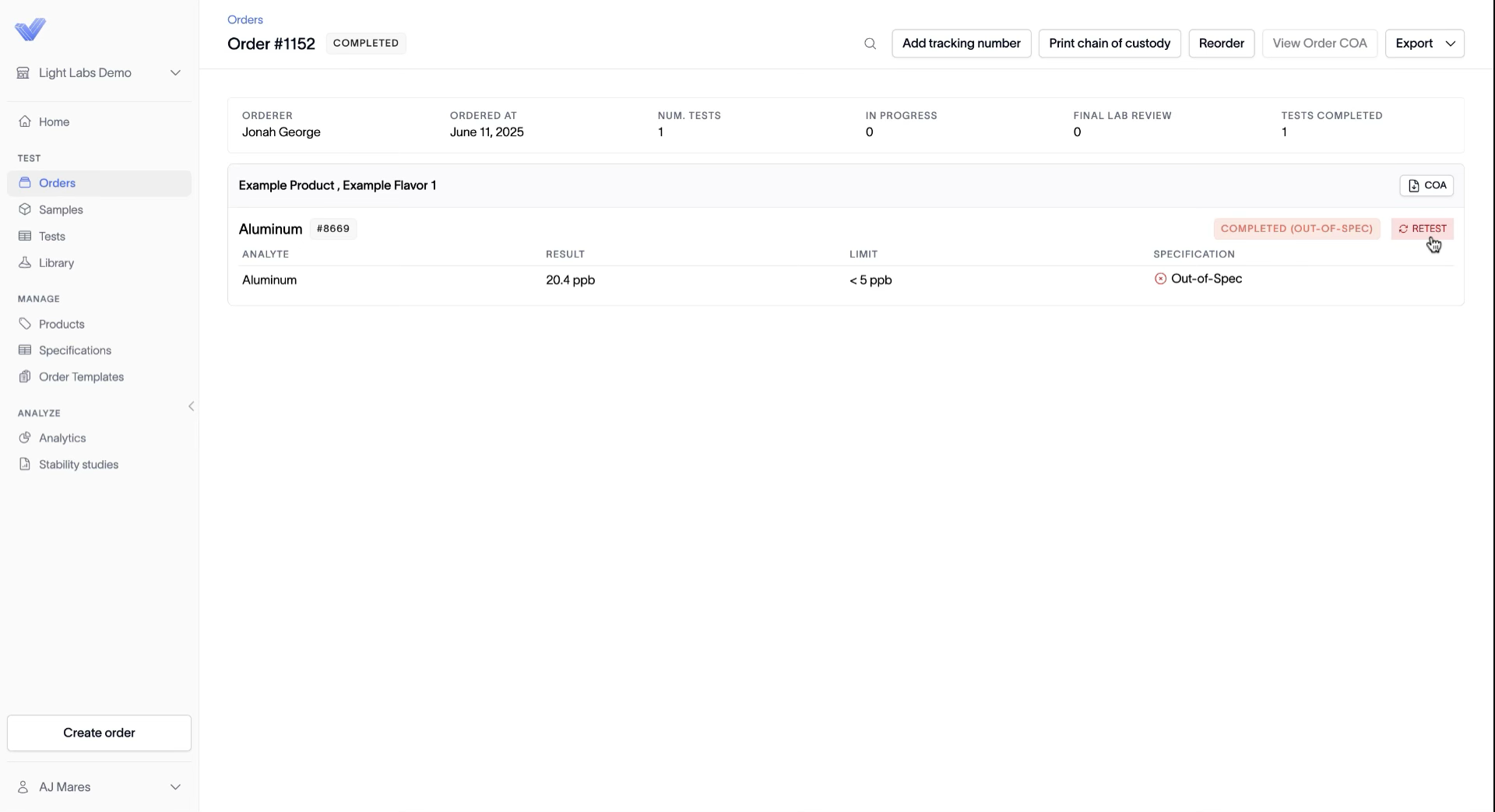
In the left navigation, open Orders (or Tests) and click into the order that has the out-of-spec test. The test row shows a COMPLETED (OUT-OF-SPEC) status and a Retest button on the right.
2. Click Retest
Click the Retest button tied to the test you want to re-run.
3. Choose how to handle the retest
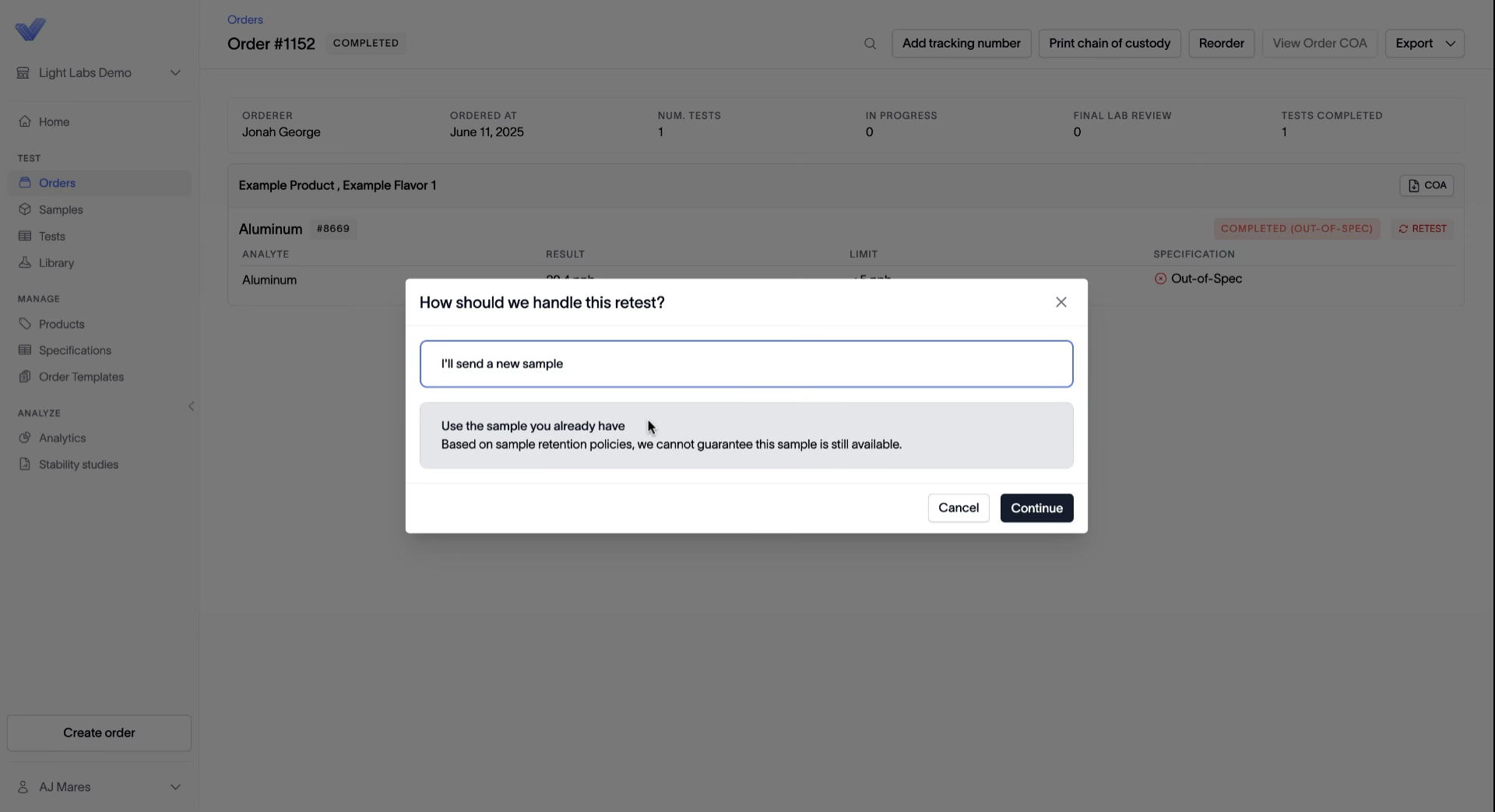
In the How should we handle this retest? dialog, pick one:
I’ll send a new sample — ship a fresh sample to the lab.
Use the sample you already have — re-run the existing sample.
Click Continue.
Note: Light Labs holds samples for 30 days after testing. If Use the sample you already have is unavailable, the sample has passed the 30-day retention window and was disposed of — send a new sample instead.
4. Check out and place the retest
A new order is queued with the retest. Review it, then Check out and place the order the same way you place any order.
Outcome
The retest is placed as a new order. If you’re sending a new sample, ship it to the lab; otherwise the lab re-runs the sample it still has on hand.