View your invoices
Last updated: August 14, 2026
Time To Completion: 1 minute
Open and paid invoices live under organization settings. Open an invoice to see the per-test cost breakdown, export it to CSV, pay via Stripe, or share the link with finance.
Prerequisites: A Light Labs account with access to organization settings.
1. Open organization settings
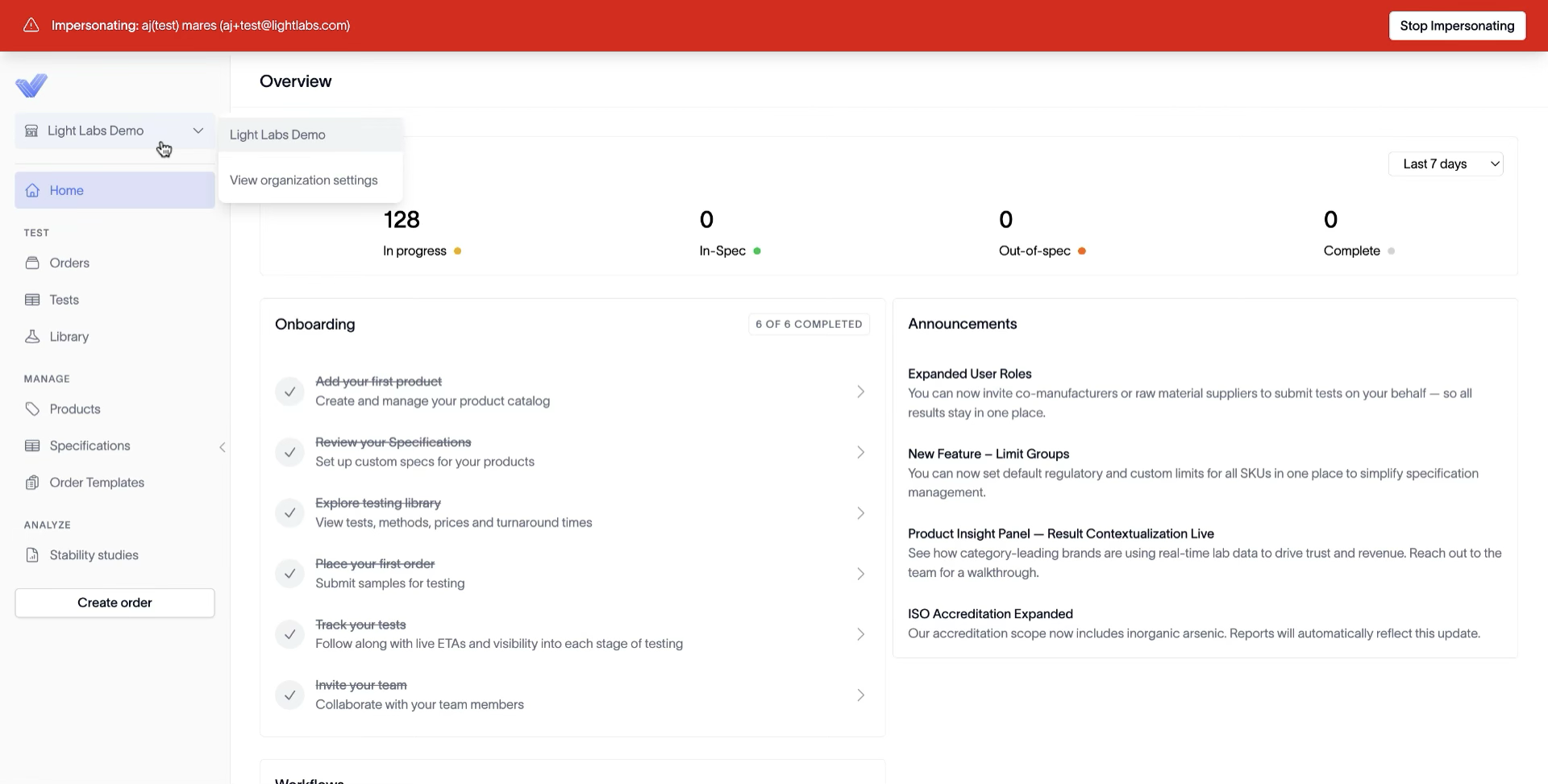
In the top left, click your company name (for example, Light Labs Demo) and pick View organization settings.
2. Go to Billing
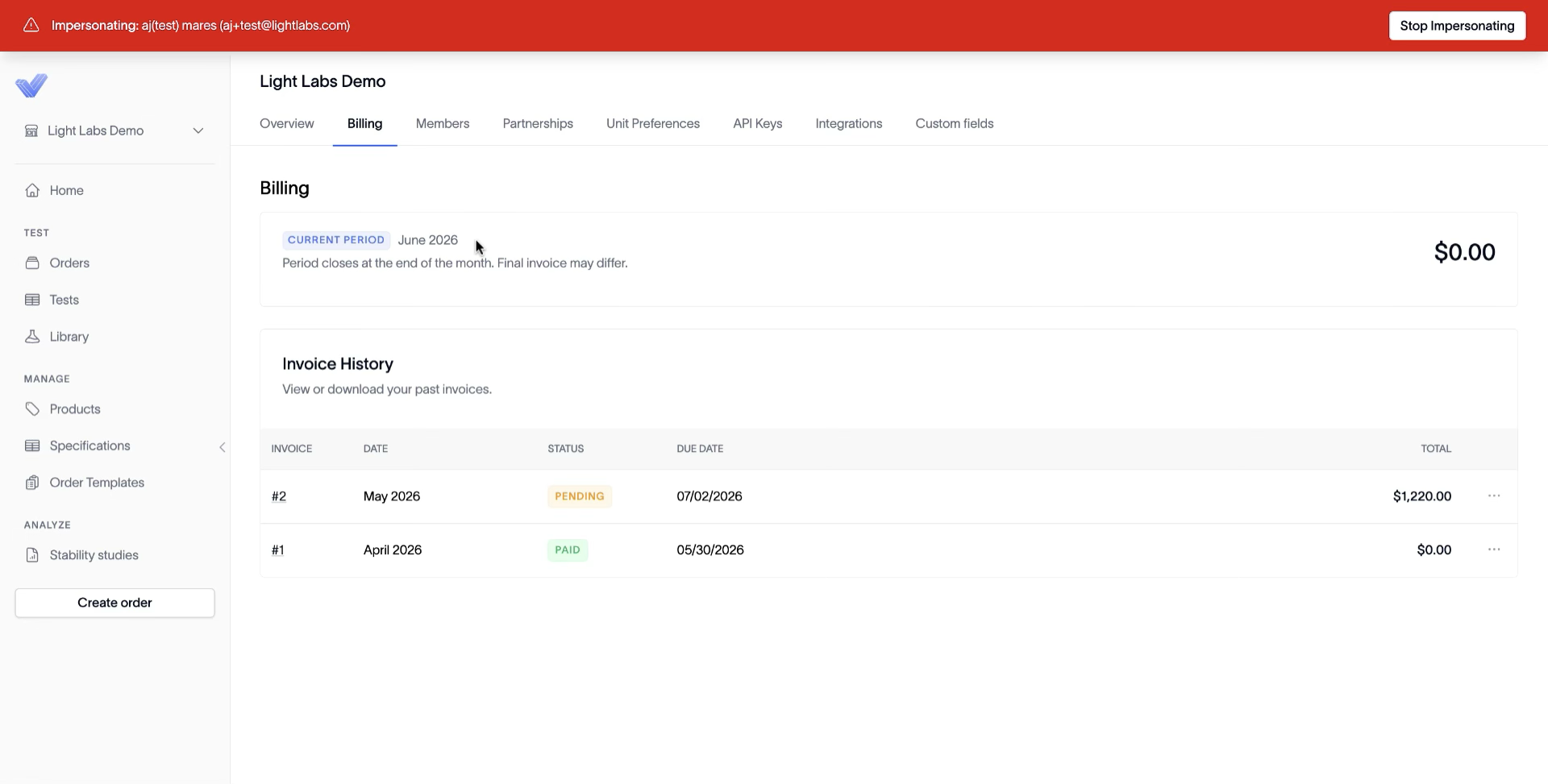
On the organization settings page, click the Billing tab. The page shows the CURRENT PERIOD banner with the running total and an Invoice History table of past invoices with their PENDING or PAID status.
3. Open an invoice for the breakdown and act on it
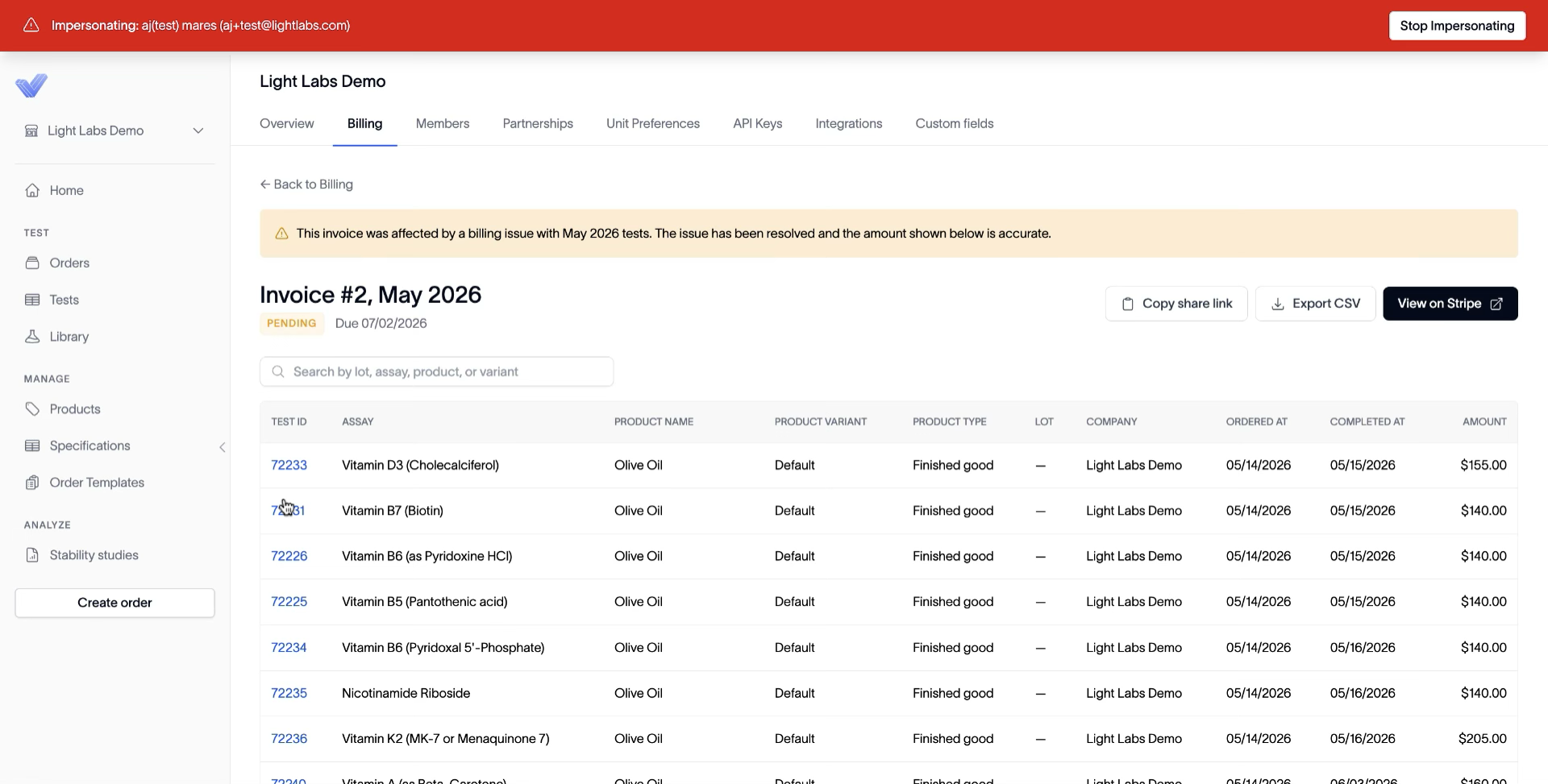
Click any row in Invoice History. The invoice page lists each test charged (assay, product variant, lot, ordered date, completed date, amount) and a search bar to filter by lot, assay, product, or variant. From the top right, choose:
Copy share link — to send to finance
Export CSV — to download the line items
View on Stripe — to pay or download a receipt
Outcome
Each invoice is one click away with its full per-test breakdown, ready to export, pay, or share without leaving Light Labs.