Search the samples list
Last updated: August 14, 2026
Time To Completion: 1 minute
Search finds samples by product name or lot number.
Prerequisites: The Samples page open with at least one sample.
1. Type in the search bar
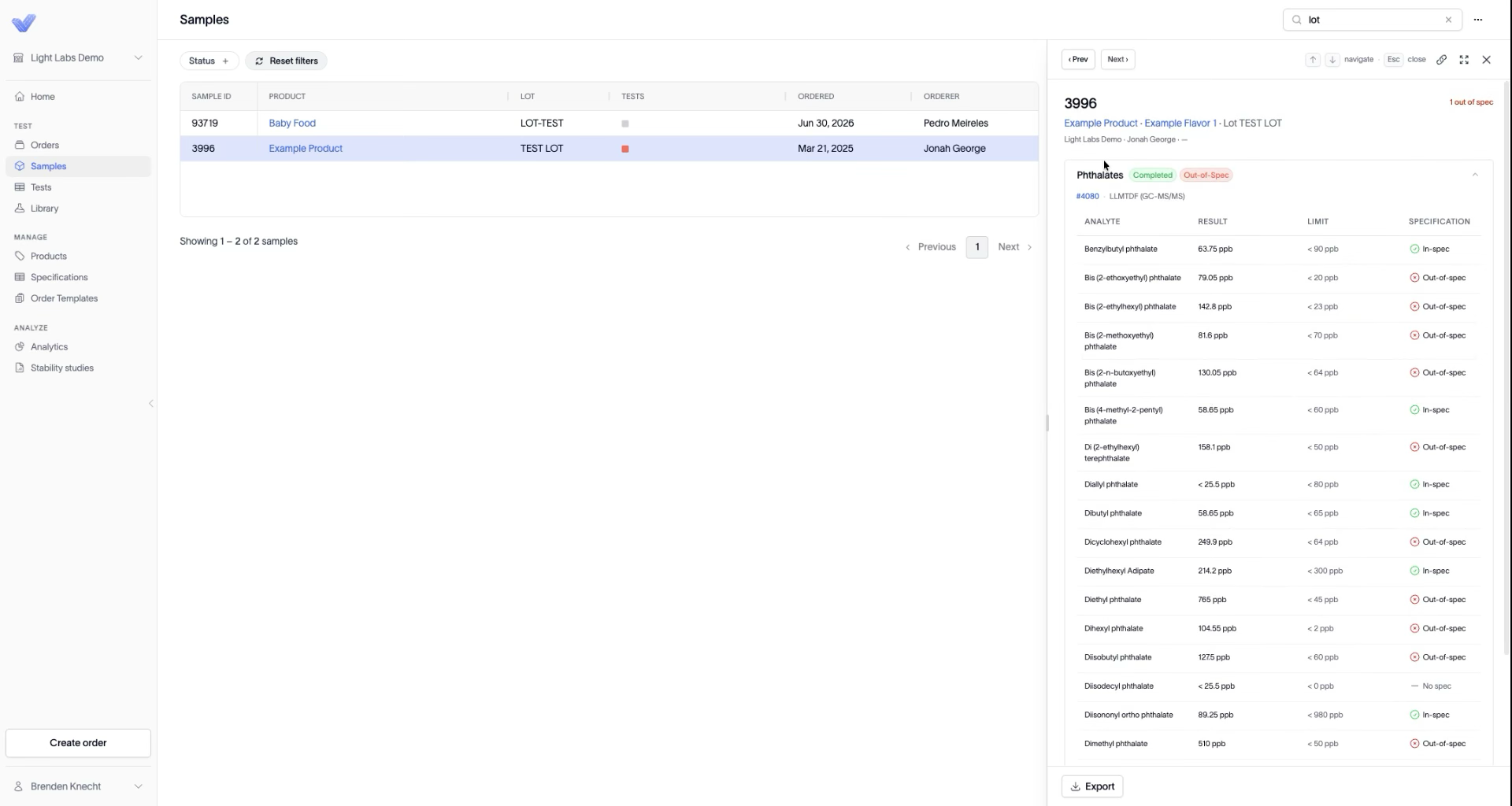
Click the search bar in the top right and type your term. Search by:
Product — for example, type apple to see every apple sample.
Lot number — for example, type lot to see every sample whose lot contains that text.
The list narrows as you type, and a count shows how many matched (for example, Showing 1–2 of 2 samples).
2. Clear the search
Click Reset filters (or clear the search bar) to return to the full list.
Outcome
The list shows only the samples matching your term, and you can open any result in the side panel.