Review and submit your stability quote
Last updated: October 9, 2026
The last step of the builder is Review. Check everything here before you send the quote to our quality team.
What the review page shows
The quote total and the number of tests across your products.
Both study arms, real-time and accelerated, with a subtotal for each.
The number of variants and your target claim.
Line items by variant. For each analyte, you can see the sample periods (time points), the cost per test, the number of tests, and the total.
The cost of each time point.
If you ran both arms, the accelerated line items show how many T0 tests are shared from real-time and free.
Submit the quote
Scroll to the bottom of the page.
Click Submit for review.
You'll land back on the Stability studies page, where your quote now shows a Pending Review status.
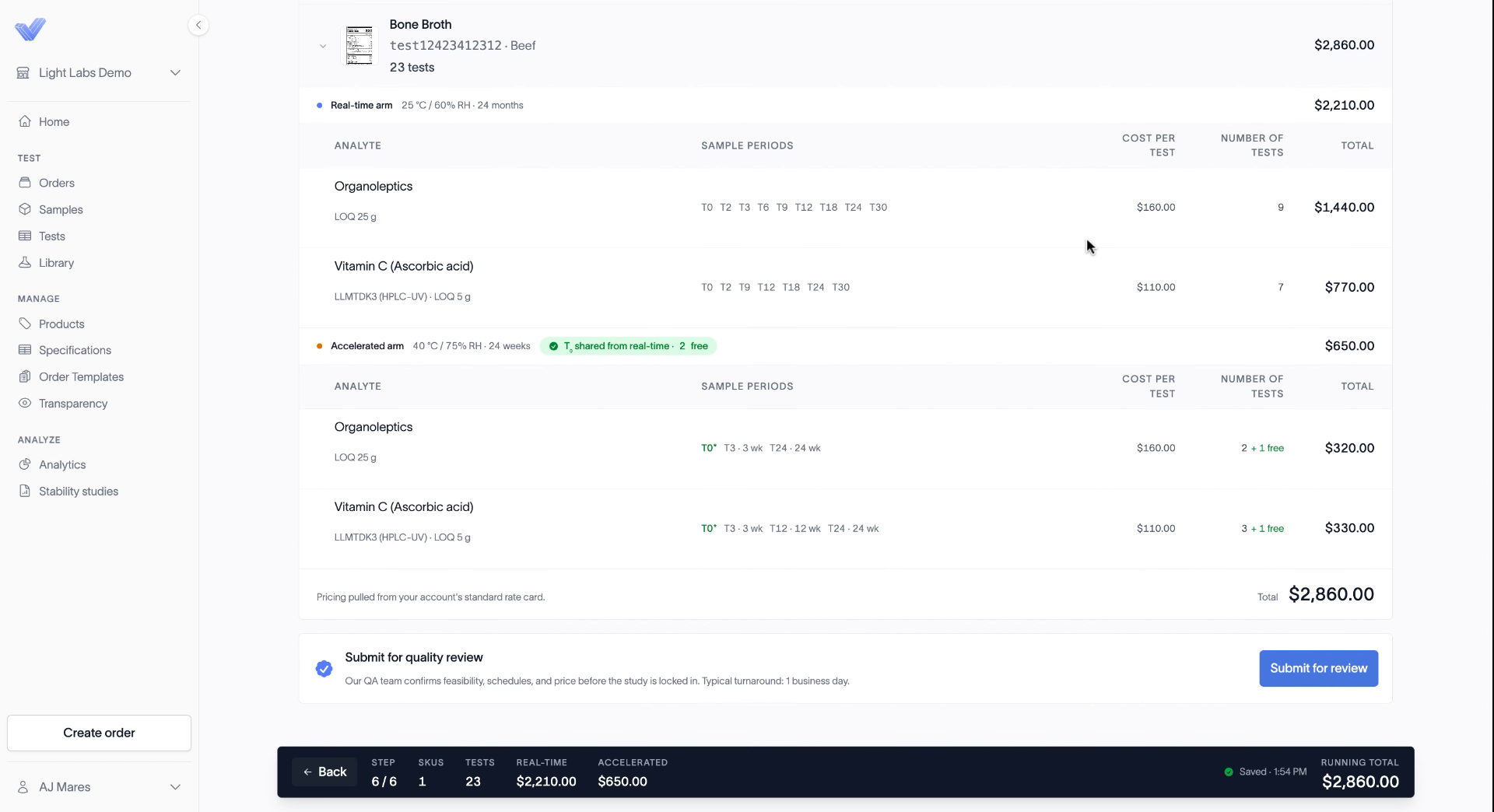
If something looks wrong, click Back to return to an earlier step and fix it before you submit.
Related
Build your sampling schedule
What happens during quality review
How stability study billing works