Search the tests list
Last updated: October 23, 2026
Time To Completion: 1 minute
Use search to find tests by a value that isn't one of the filters — most commonly a lot number.
Prerequisites: The Tests page open with at least one test.
1. Type in the search bar
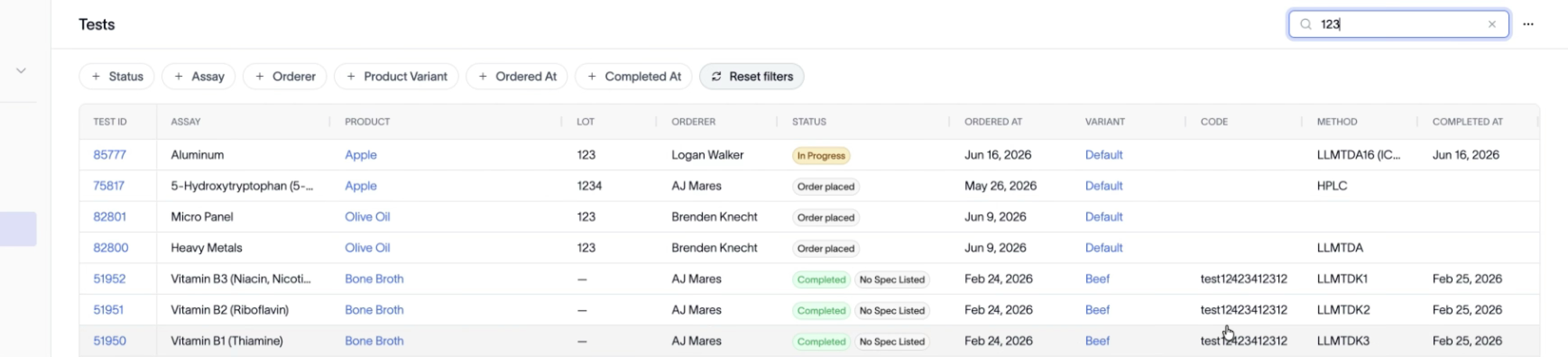
Click the search bar in the top right and type your term (for example, a lot number like 123). The list narrows as you type.
2. Scan the results carefully
Search matches your term anywhere it appears, not only in one column. Searching 123 returns rows where 123 is the lot and rows where it appears in the Code or elsewhere.
Tip: Search broadly matches across fields, so use it sparingly — you may get more results than you expect. For precise narrowing, reach for filters instead.
Outcome
You find the test you're after by lot or any other on-screen value, then open or act on it from the results.