Composite samples in an order
Last updated: October 23, 2026
Time To Completion: 1 minute
Compositing tells the lab to combine several physical samples into one test — for example, an apple from lot 100 and an apple from lot 200 tested together. Set it per sample while creating an order.
Prerequisites: A draft order with at least one sample added.
1. Open the Composite dropdown on a sample
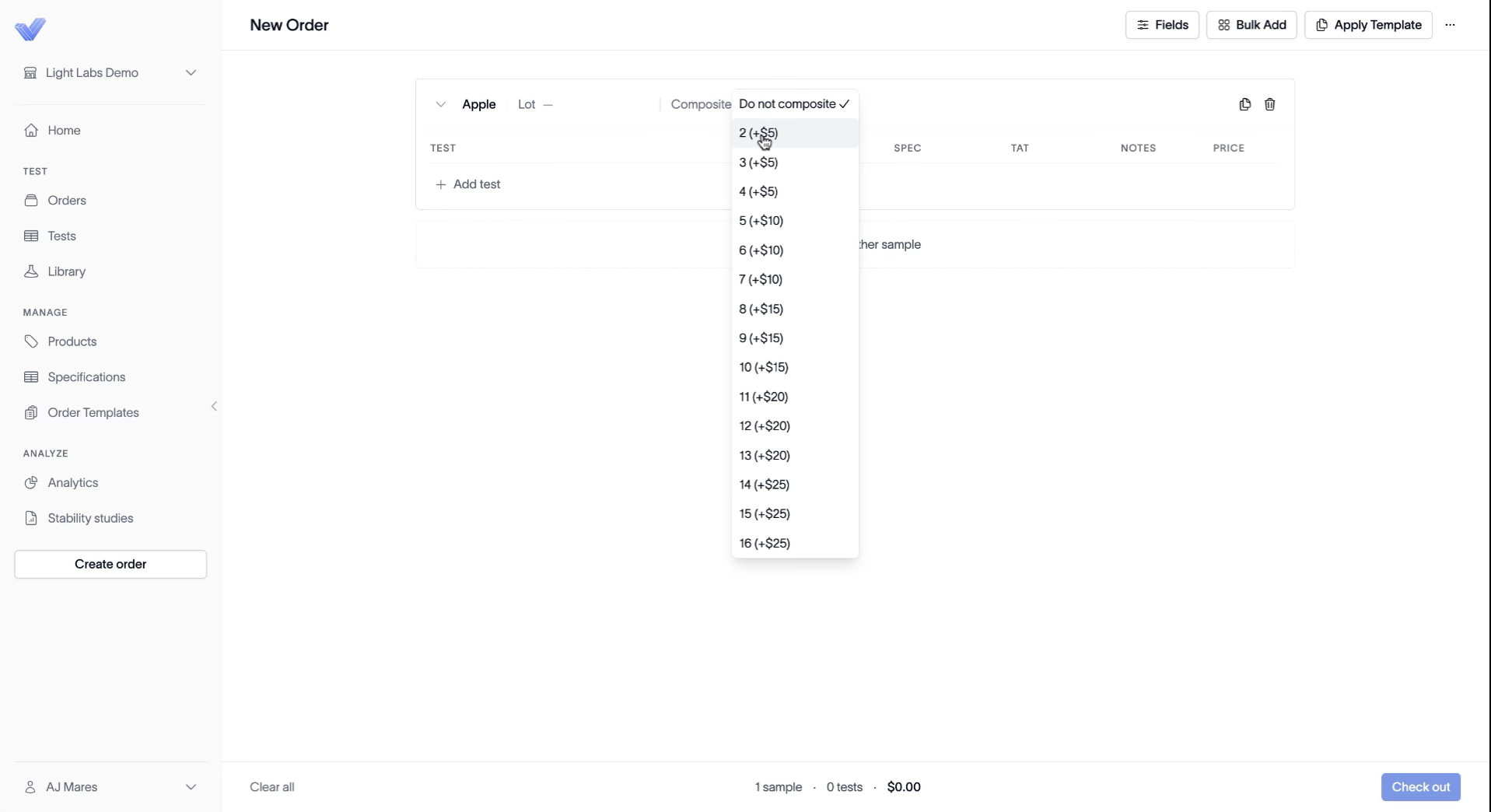
On the sample tile, find the Composite field next to the lot and click it. It defaults to Do not composite.
2. Choose how many samples to composite
Select Do not composite to test the sample on its own (the default), or pick a count to combine that many samples into one test. Each count adds a fee, which scales with the number combined.
Note: Compositing combines distinct physical samples into a single test. Use it when you want one result across multiple lots rather than a separate result per lot.
Outcome
The sample is set to composite the number you chose, and the fee is added to the order total at checkout.