Download a COA
Last updated: August 14, 2026
Time To Completion: 1 minute
Download a Certificate of Analysis (COA) for a completed test. Two paths get you there — from the order or from the test. Both open the COA as a PDF you can print or save.
Prerequisites: A completed test that has results.
From an order
1. Open the order
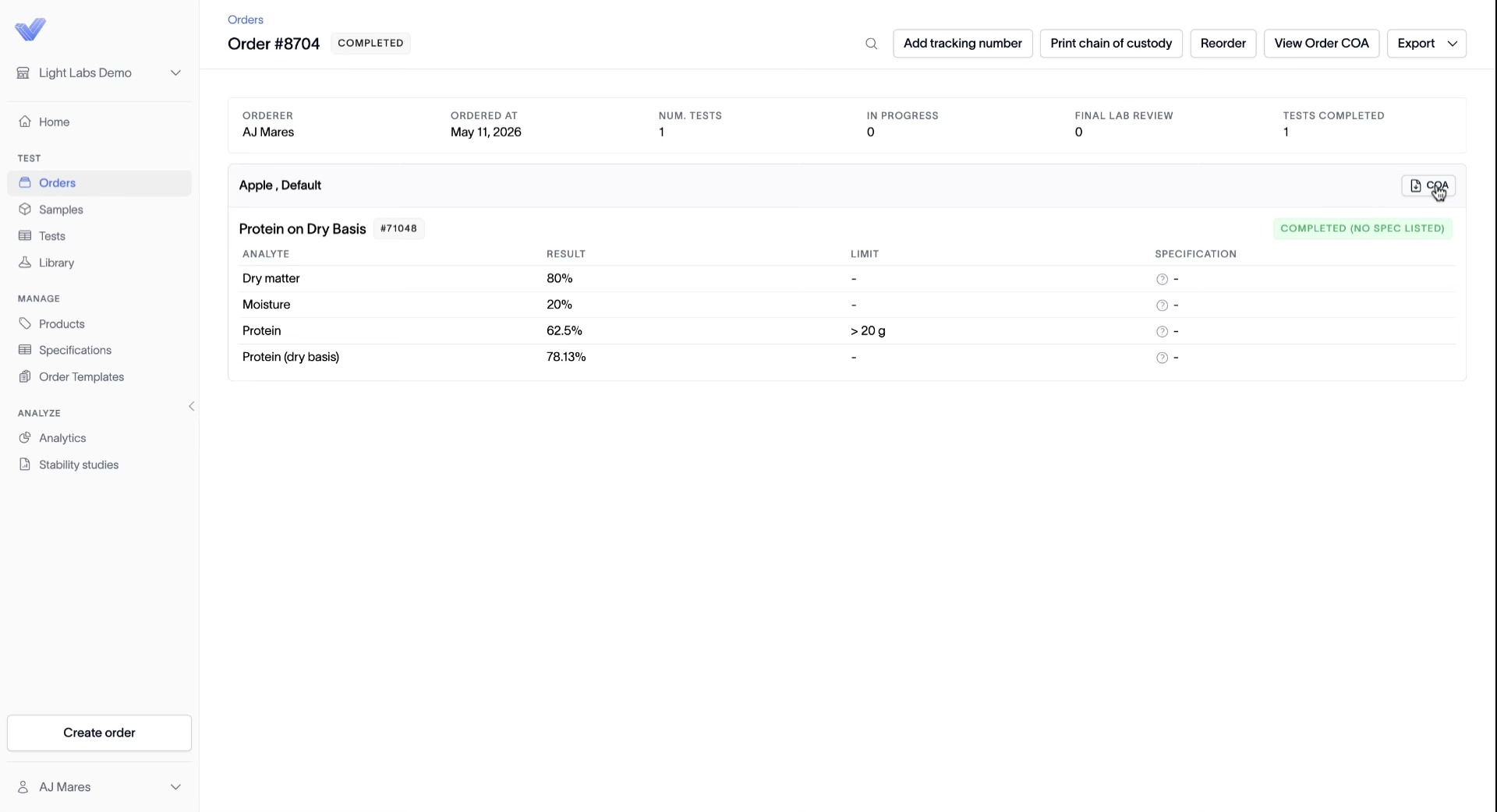
In the left navigation, click Orders and open the order that contains the test. Each product section shows its sample, test, and results.
2. Click the COA button next to the product
In line with the product name, click the COA button (the document icon on the right). The COA opens as a PDF, where you can print or download it.
From a test
1. Find the test
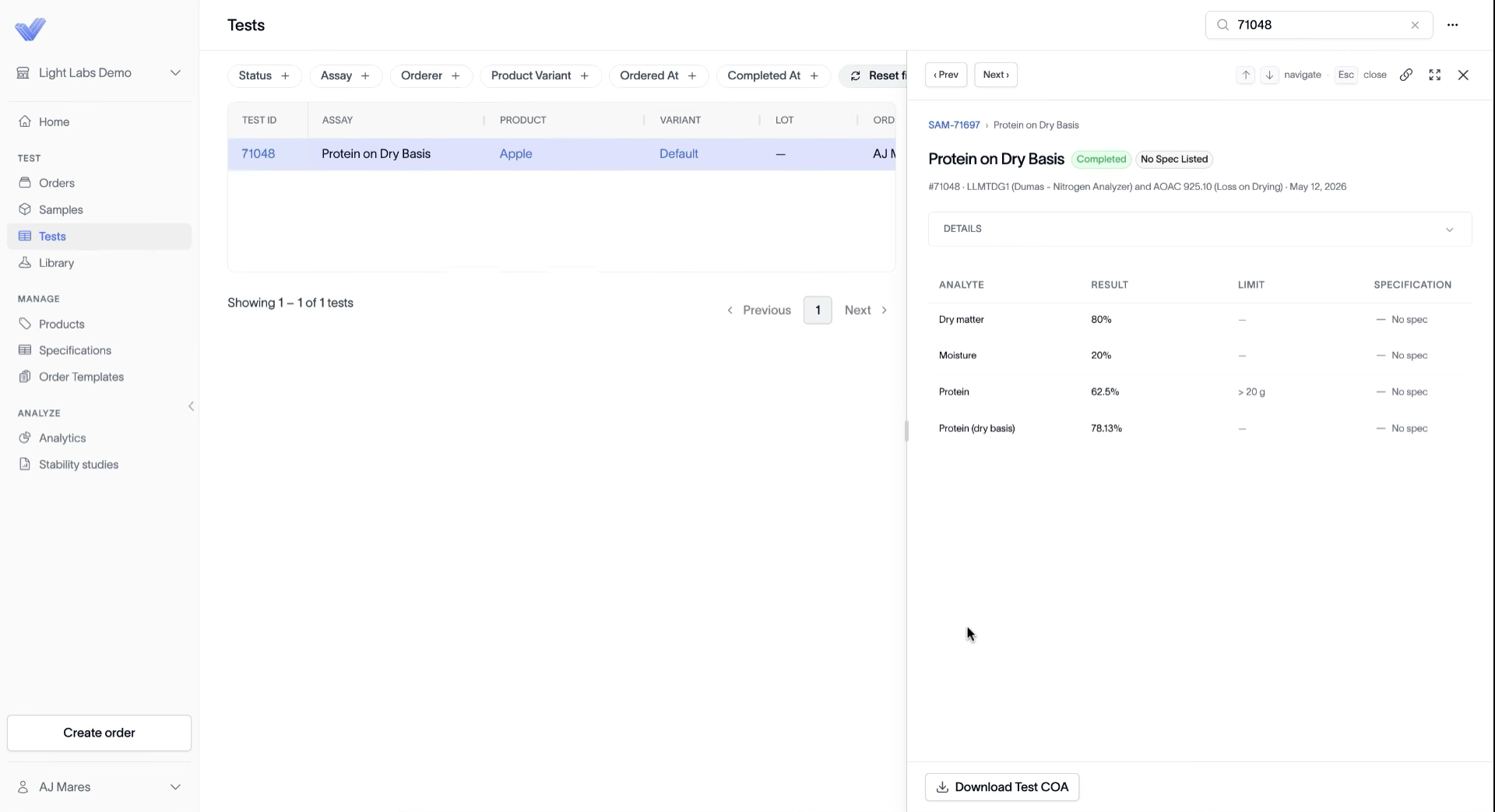
In the left navigation, click Tests and search for the test ID (for example, 71048). Click the test row to open it.
2. Click Download Test COA
At the bottom of the test panel, click Download Test COA. The COA opens as a PDF, where you can print or download it.
Outcome
The COA opens as a PDF you can print or save to your computer.