Find and filter your stability studies
Last updated: October 9, 2026
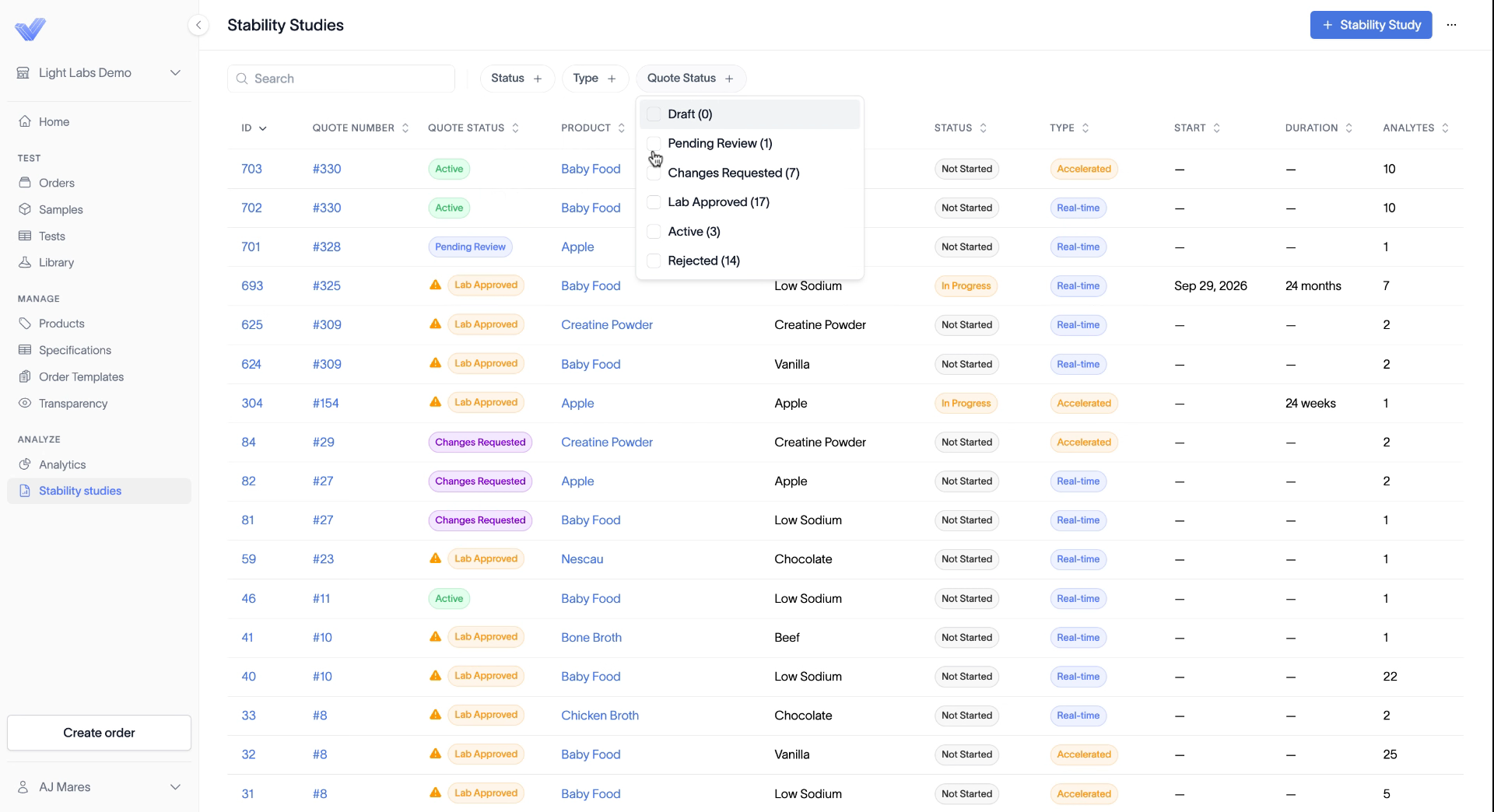
The Stability studies page lists every quote and study on your account, so you can check where each one stands.
Open the page
Click Stability studies in the left sidebar, under Analyze.
Read the list
Each row is one quote or study. The columns show:
ID and Quote number
Quote status
Product and Variant
Status, which is the study's own status, such as Not Started or In Progress
Type, either Real-time or Accelerated
Start and Duration
Analytes, the number of tests in the study
A quote with both a real-time and an accelerated arm shows as two rows with the same quote number, one per type.
Search and filter
Type in the Search box to find a study.
Click Status, Type, or Quote Status to filter the list. You can combine filters.
Quote Status has six options:
Quote status | What it means |
|---|---|
Draft | The quote isn't submitted yet. |
Pending Review | You submitted it and our quality team is reviewing it. |
Changes Requested | The lab asked for changes before approving. |
Lab Approved | The lab approved the quote. You can confirm it and start the study. |
Active | You confirmed the quote and the study is live. |
Rejected | The lab didn't approve the quote. |
Related
Place a stability study order
What happens during quality review
Approve and start your stability study