Add a rush to a test
Last updated: October 23, 2026
Prerequisites: An order with a sample and test added. Not every test offers a rush option.
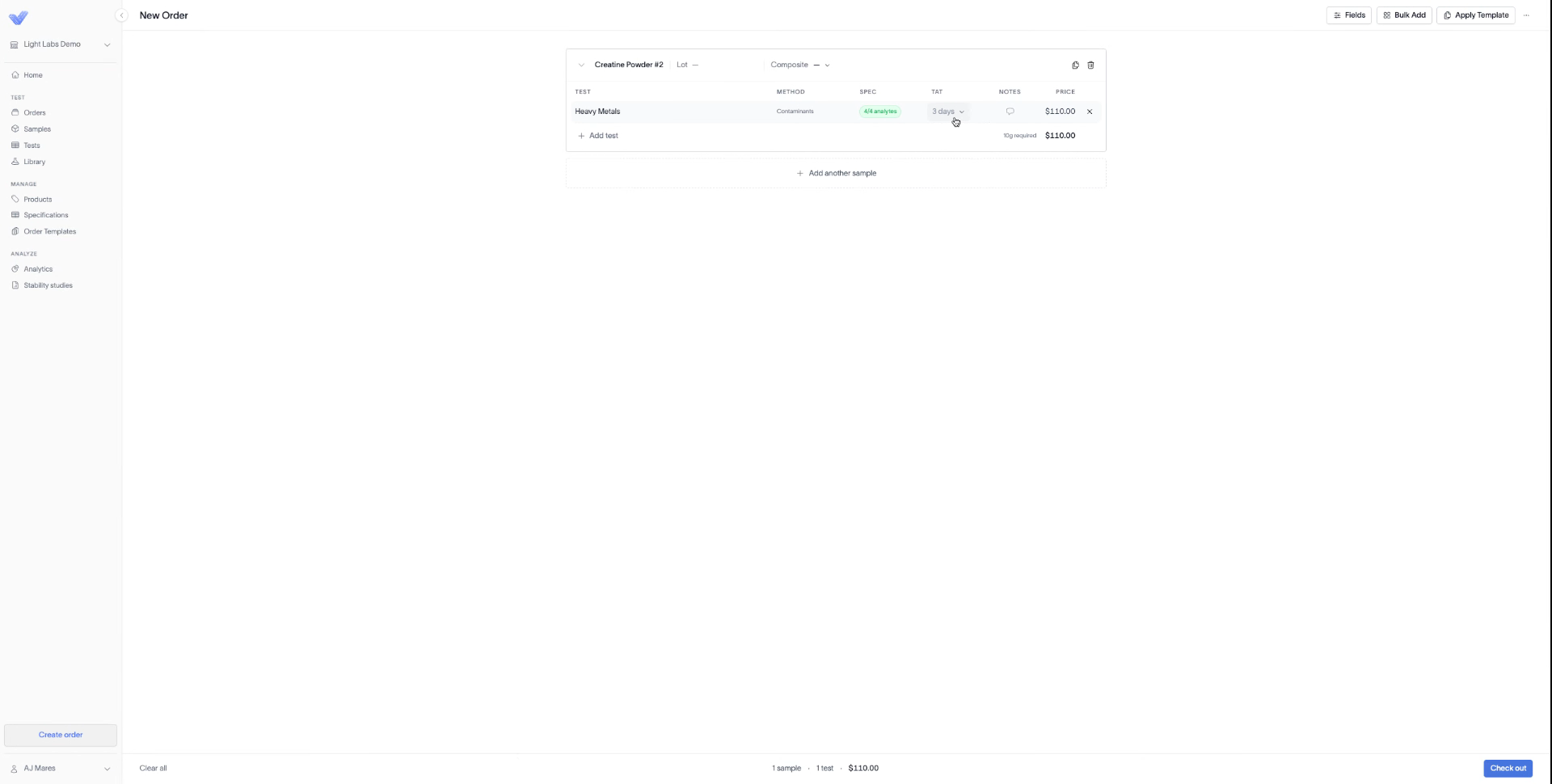
1. Open the TAT dropdown for the test
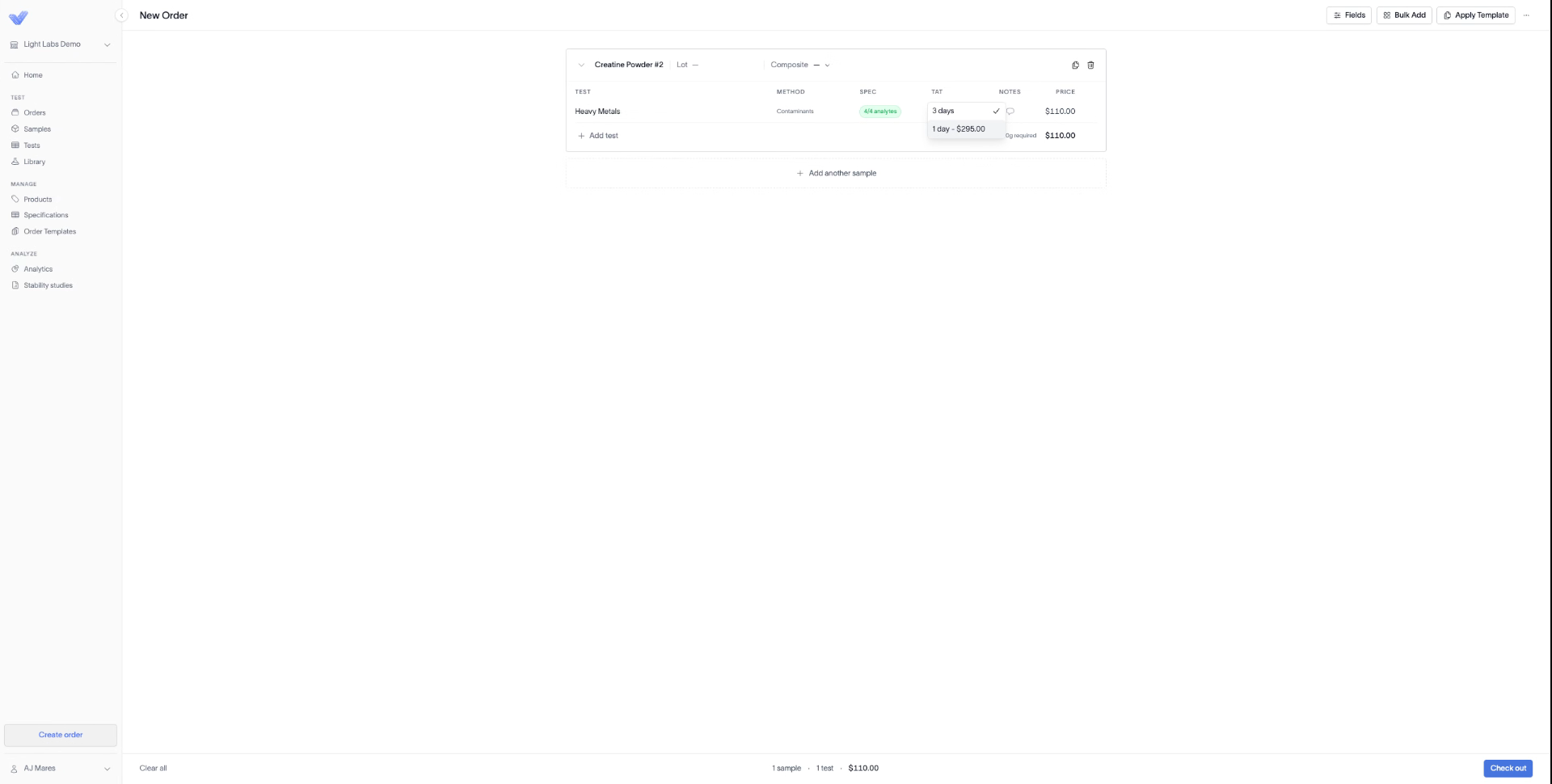
If a rush is available for that test, click the TAT dropdown. The rush option appears below the current turnaround time, with its added fee.
The TAT dropdown open on a test row, showing 3 days as the current selection and 1 day - $295.00 as the rush option below it.
2. Select the rush option
The TAT and Price update to the rush turnaround and the added fee.
The test row after selecting the rush option: TAT reads 1 day - $295.00 and Price has updated from $110.00 to $405.00.
3. Check out
Click Check out. The rush carries through to the order at the updated turnaround time.
Outcome
The test runs on the rushed turnaround time, and the order total reflects the added rush fee.