What is the Product Insights Panel
Last updated: October 5, 2026
The Product Insights Panel (PIP) lets you display verified lab test results directly on your product detail pages. You choose which results to show, and they are always pulled straight from your Certificates of Analysis (COAs). Shoppers see clear, easy to understand results without any extra work from your team.
It is the same testing data you already have in Light Labs, published in a format your customers can read at a glance.
What shoppers see
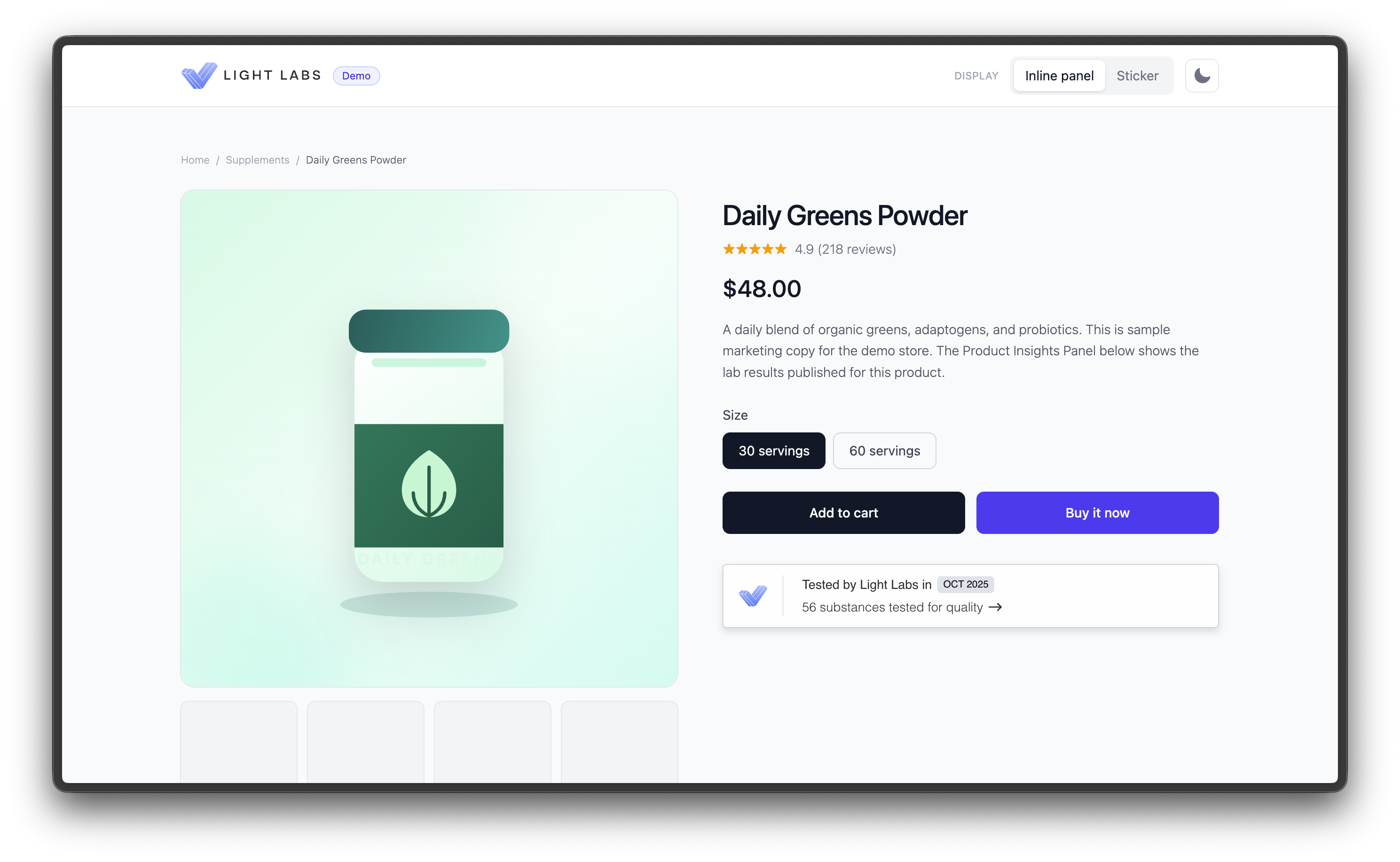
On your product page, the Product Insights Panel appears as a compact, branded element that reads "Tested by Light Labs" along with the number of substances tested. Shoppers can open it to see the full results.
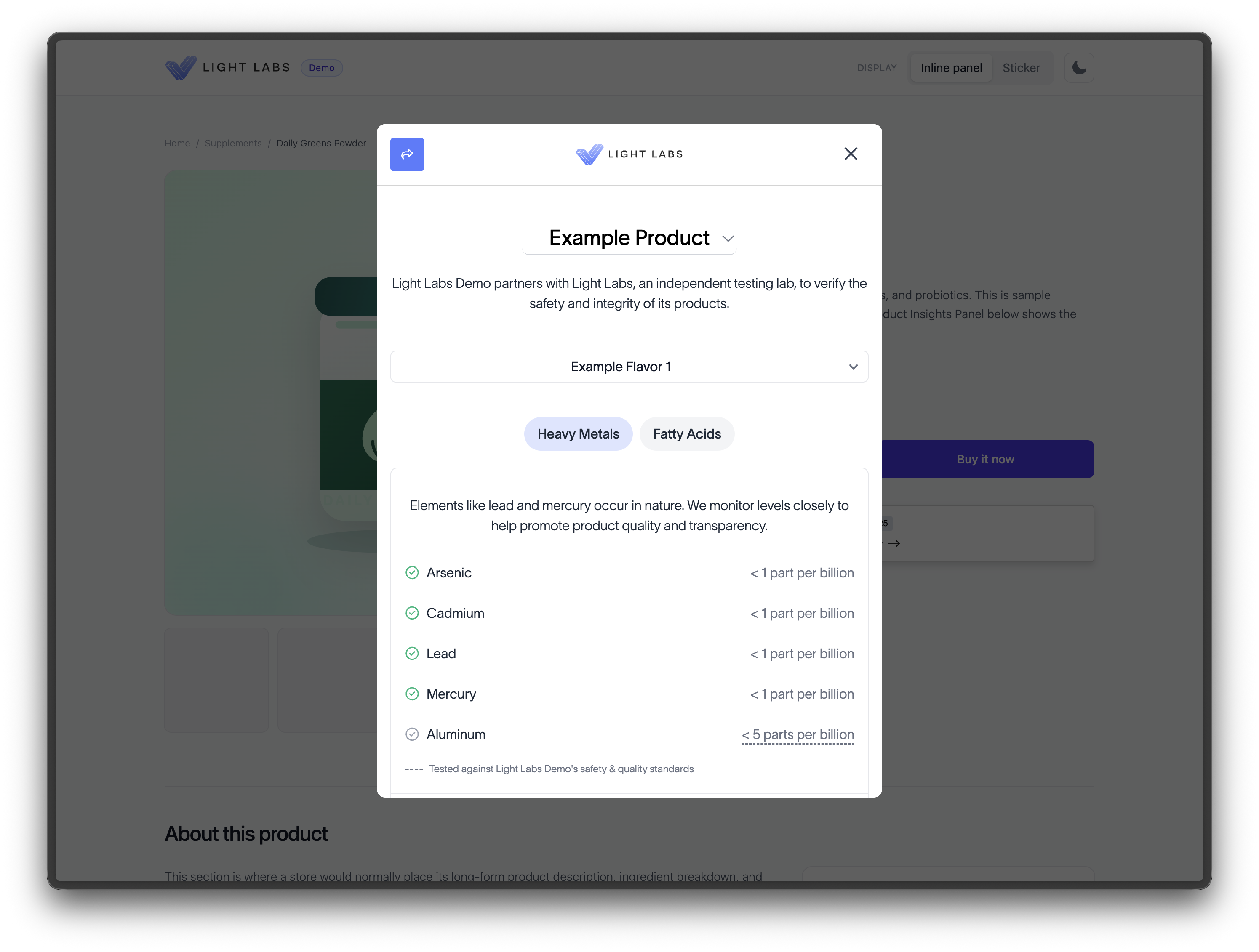
When a shopper opens the panel, they see your Comprehensive Testing Report: the substances that were tested, whether each result is within your limits, the amounts detected, and the testing dates. For heavy metals, results include context that compares the detected amount to amounts commonly found in everyday foods.
The three ways to display it
You can publish the Product Insights Panel in three forms. You can use more than one on the same page.
Inline panel. A horizontal bar you place anywhere on the product page, most often near the buy button. This is the default and most common display.
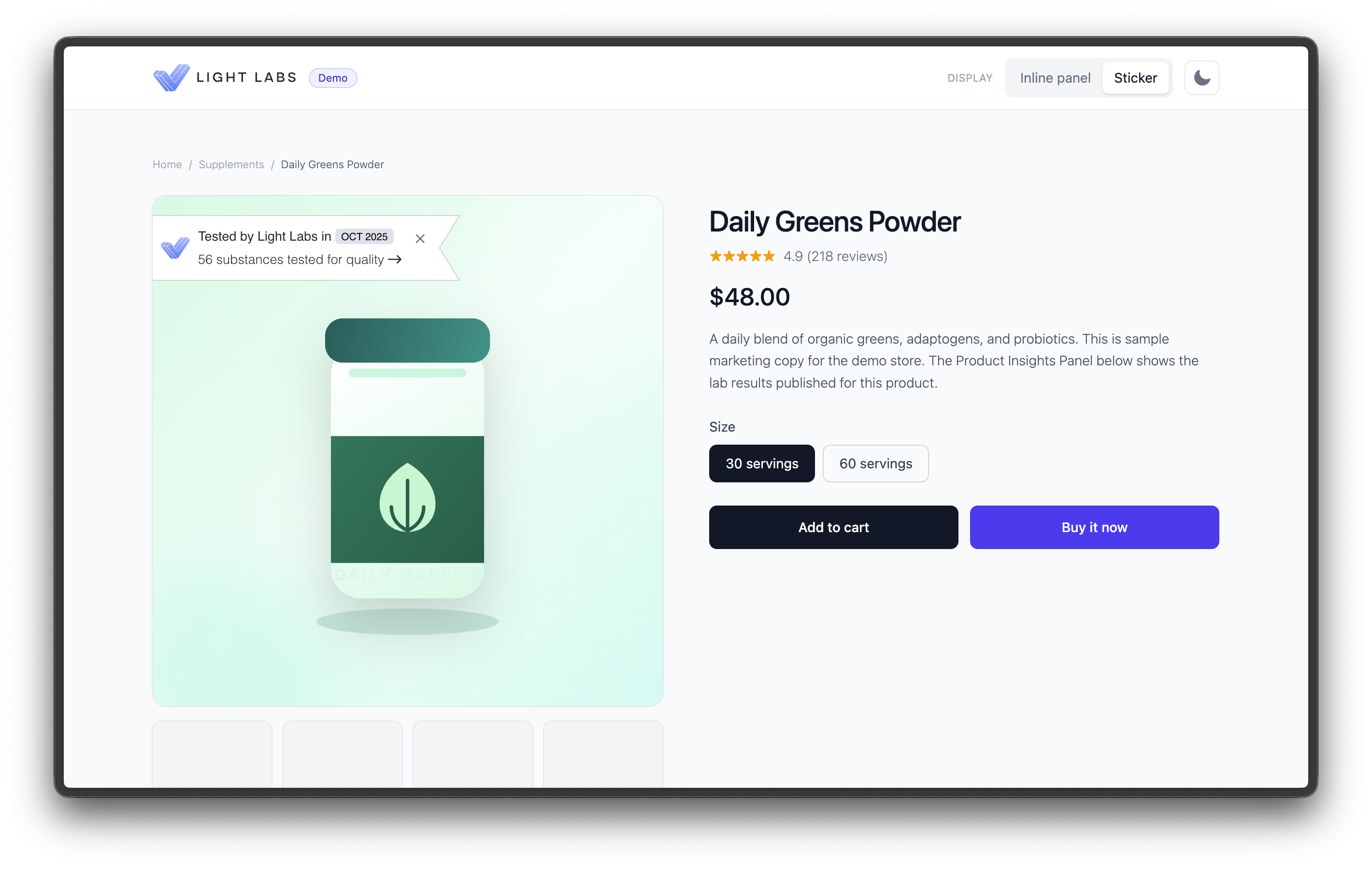
Sticker. A compact badge designed to sit on top of your product image. It can be collapsed by the shopper.
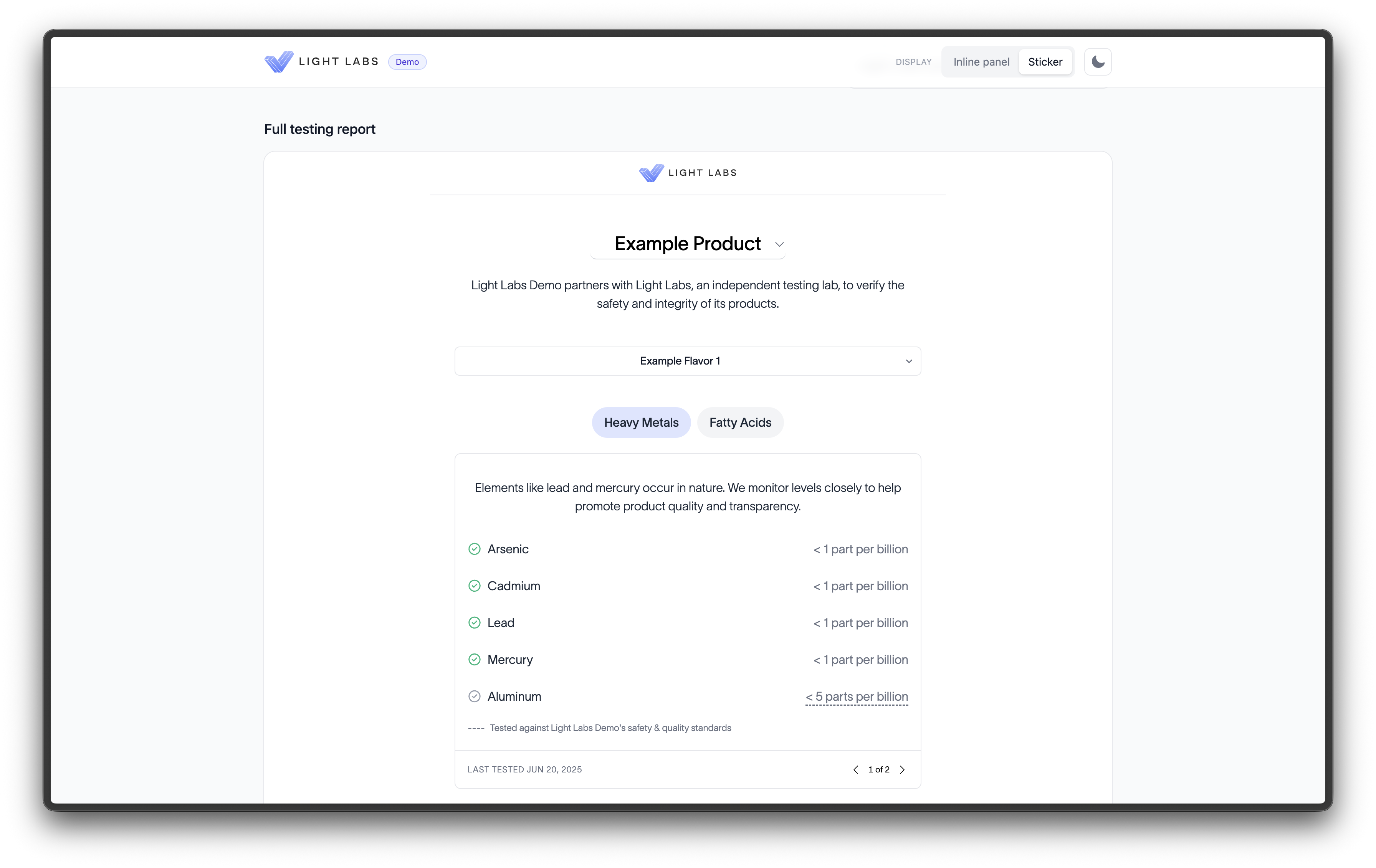
Full testing report. The complete Comprehensive Testing Report embedded directly in the page, rather than opening from a click. Best for a dedicated transparency or testing page.
See 📄 Choosing a display: panel, sticker, or full reportfor guidance on which to use.
Why brands publish it
The Product Insights Panel turns lab testing you already pay for into something your customers can see. Brands use it to build trust, set themselves apart on safety and quality, and give shoppers a reason to choose them. Results update automatically when you publish new testing, so the panel always reflects your latest published data.
What you need to get started
Your products set up in Light Labs with completed tests.
The results you want to show enabled on each product.
A product page where the panel can appear.
Ready to publish? Start with 📄 Set up your Product Insights Panel.