How shoppers read your results
Last updated: June 8, 2026
When a shopper opens your Product Insights Panel, they see your Comprehensive Testing Report. This article explains what they see and how the data behaves, so you know exactly what you are publishing.
What the report shows
The report groups results by category, for example Heavy Metals, Pesticides, or active ingredients. For each result a shopper sees:
The substance that was tested.
A status marker showing whether the result is within your limits.
The amount detected, or "Not detected" when nothing was found.
The testing dates and the lab that performed the test.
A shopper can also open the testing history to see results over time.
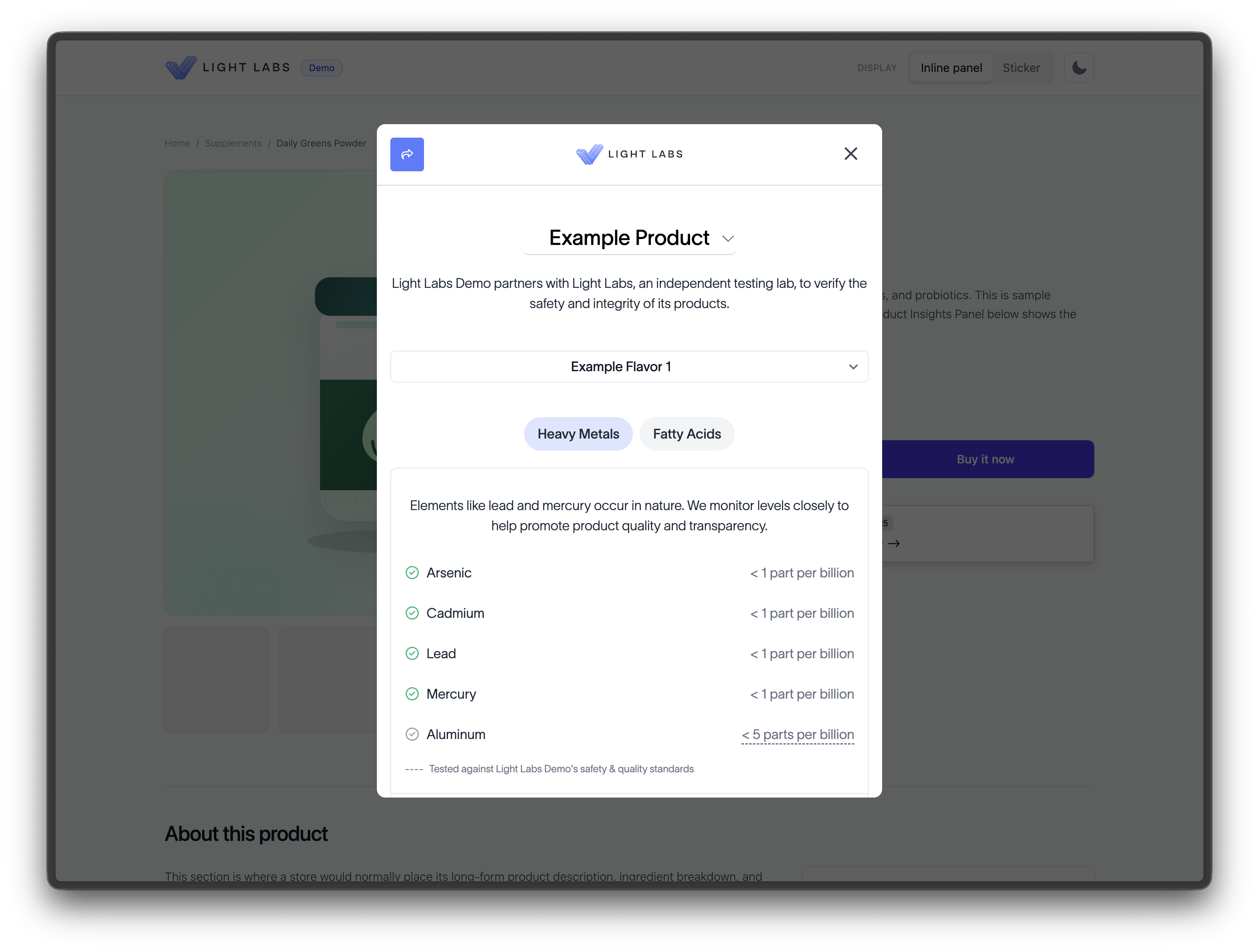
Status markers
Within your limits: shown with a green check.
No limit set: shown as a passing result, since there is no limit to compare against.
Outside your limits: shown with a muted, grey check rather than the green one, so it is clearly distinguished from passing results.
This is why we recommend only enabling results you are comfortable publishing. The panel is built around transparency, so an enabled out of spec result is shown honestly rather than hidden.
Most recent results, never averaged
The panel always shows your most recent results for a product. It does not average across tests or timepoints. If you have tested the same product several times, shoppers see the latest published result for each substance.
Note: This is a common question. The panel never averages results. It shows the most recent published result for each substance.
Because results are organized by the test that produced them, a substance shows the most recent test that included it. If two different substances were measured in two separate tests, each shows from its own most recent test.
Results come from your COAs
Everything on the panel is pulled directly from your Certificates of Analysis. There is nothing to re-upload. When you publish new testing in Light Labs, the panel reflects it automatically.
The "last tested" date
The date shown is the date the testing was completed, taken from the COA. If you want the date to move forward, you need newer testing. Updating other information does not change the testing date, because the date reflects when the lab actually ran the test.
Heavy metals context
For heavy metals, specifically lead, cadmium, arsenic, and mercury, the report adds context that compares the amount detected to amounts commonly found in everyday foods. This helps shoppers understand a result in familiar terms rather than as a number in isolation.
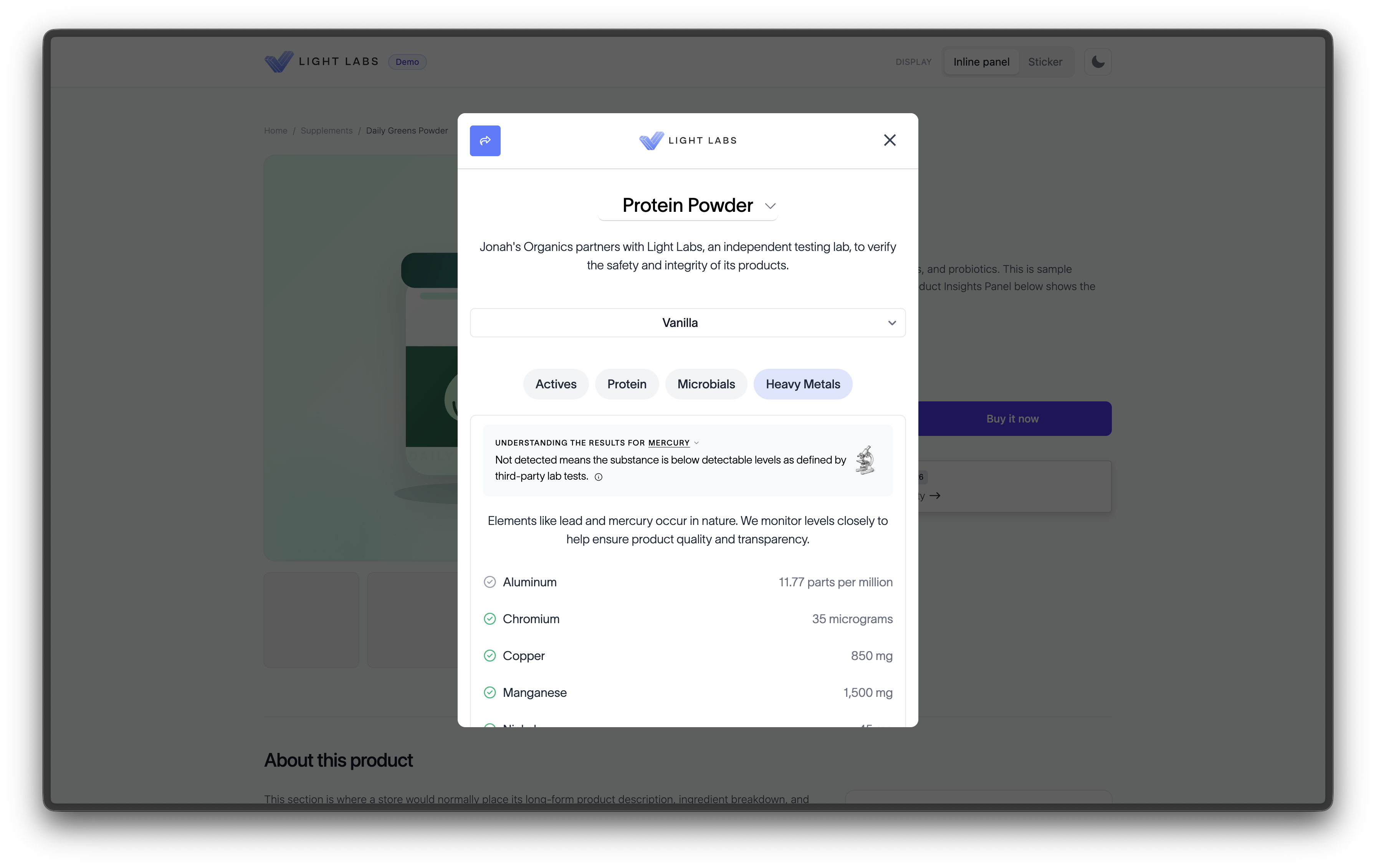
This context is available for heavy metals today. Other categories show the result and its status without a food comparison.
"Not detected" and below the limit of quantification
When a substance was not found, the result reads "Not detected." When a substance was present but below the level the lab can reliably measure, the result is shown as below that level. Both are treated as passing results.